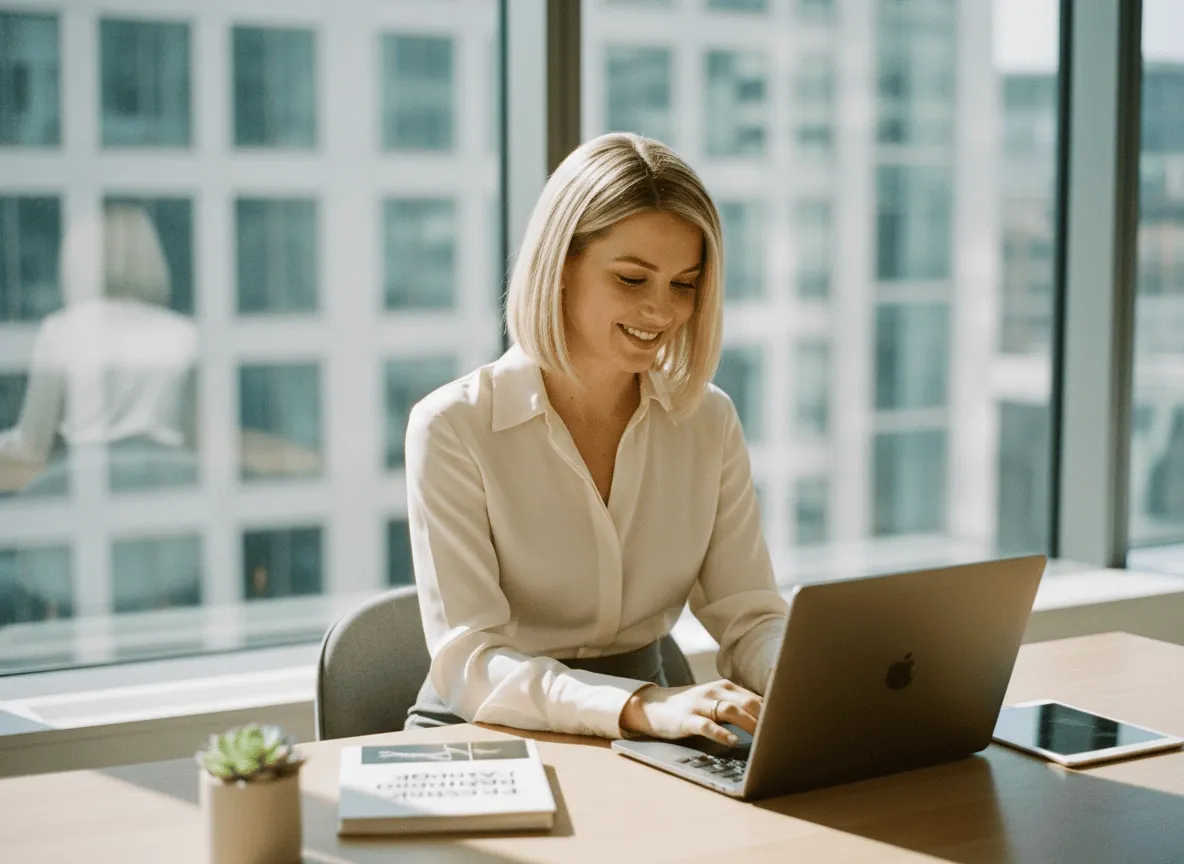
Restaure memórias para compartilhar
Traga retratos de família, fotos de viagem e fotos pessoais com rostos mais claros, mais detalhe e melhor qualidade. Suas memórias ficam mais fáceis de guardar, imprimir ou compartilhar.
Precisa de um master maior, não de uma foto nova? O Image Upscaler do Viralkey amplia a aresta mais longa 2× ou 4×, ou recupera nitidez em 1×, sem inventar um recorte, um rosto ou um cômodo novo.


Image Upscaler
Image Upscaler online
Precisa de um master maior, não de uma foto nova? O Image Upscaler do Viralkey amplia a aresta mais longa 2× ou 4×, ou recupera nitidez em 1×, sem inventar um recorte, um rosto ou um cômodo novo.
A maioria dos upscalers ou borra pixels ou redesenha a foto em silêncio. Esta página amplia de verdade: 2× ampliar dobra a aresta mais longa, 4× ampliar a quadruplica, e 1× melhorar mantém a caixa e só recupera acuidade. Image Enhancer, Unblur Images e Denoise AI compartilham este motor — esta URL só começa em 2×. Troque o chip se você só precisava de um retoque no mesmo tamanho.
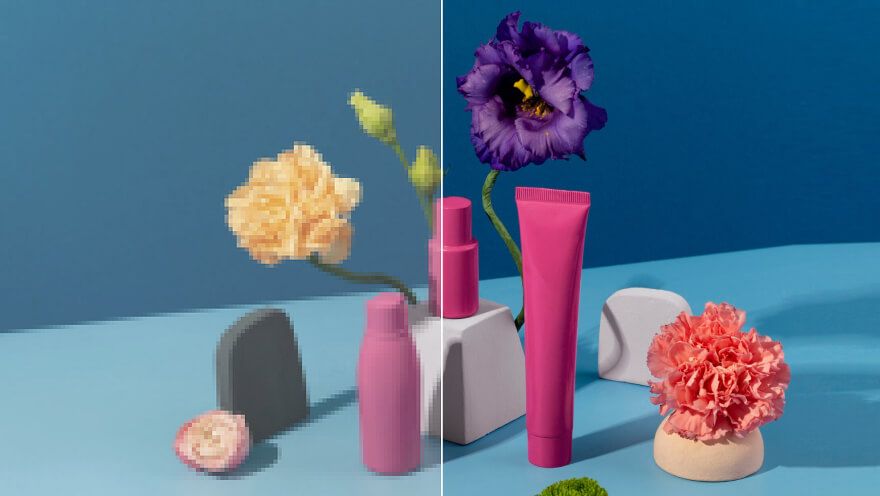
Uma ampliação não serve se o depois for outra pessoa em outro cômodo. Este passe foi feito para manter móveis, tipo e rostos onde estavam, e gastar os pixels extras em bordas e textura. Você deve conseguir colocar antes e depois num slide. Se queria uma composição nova, está na ferramenta errada. Esta é para o still que você já enquadrou e agora precisa maior.
Experimente agora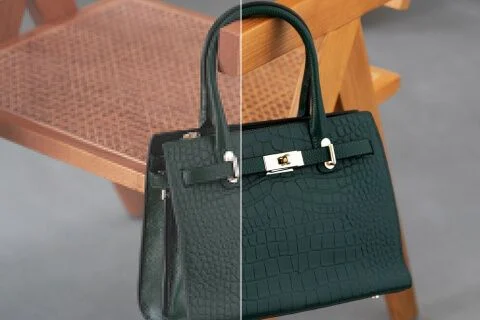
Chegar aqui pré-seleciona 2× ampliar para uma busca de image upscaler não te deixar num chip do mesmo tamanho. Você ainda pode tocar 1× melhorar quando o arquivo já é enorme, ou 4× ampliar quando um still de arquivo pequeno precisa preencher um pôster. Esses três valores são o mesmo conjunto fechado da página Image Enhancer. Não há um «modelo de upscaler» escondido versus um «modelo de enhancer». Um passe. Três tamanhos.
Experimente agora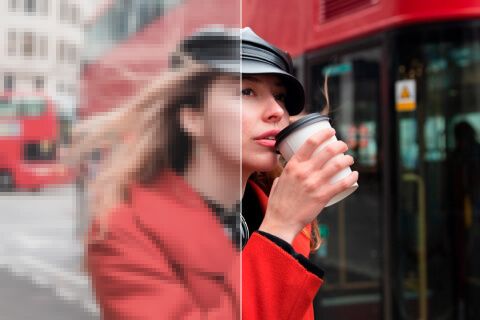
Não há nada para escrever. A foto de origem é o brief, e o chip de escala é a única decisão. Uma caixa de prompt convidaria uma reescrita generativa que esta página não faz, então o campo fica oculto. Envie, confirme 2× ou troque, gere, compare. Rode de novo o mesmo arquivo em 4× quando a primeira ampliação ainda fica curta para o slot em que você vai postar.
Experimente agoraUm image upscaler serve quando o destino pede mais pixels e a fotografia precisa continuar sendo ela mesma. Cada ponto abaixo é essa promessa: uma ampliação real, um motor compartilhado com as páginas irmãs e um arquivo que você coloca ao lado do original.
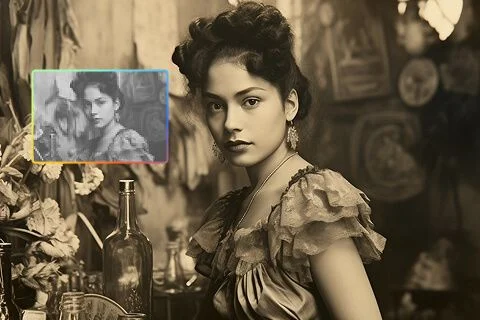
2× ampliar e 4× ampliar mudam a caixa de pixels. Eles não dão zoom num preview nem inventam um recorte mais fechado. 1× melhorar continua aqui para o dia em que a origem já é grande e você só quer uma leitura mais limpa. Se a aresta mais longa depois da escala estouraria o limite de tamanho, fique num chip menor. O limite está no formulário; a ferramenta não encolhe em silêncio um 4× que você não pode ter.
Experimente agora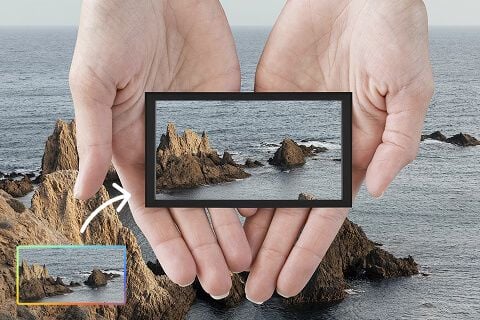
Isto não é um restilo texto-para-imagem. A origem passa por um passe de qualidade e volta como as mesmas pessoas no mesmo cômodo, com mais pixels para gastar. Essa é a diferença entre «amplie esta foto» e «faça uma foto melhor». Use um retrato, uma placa de produto ou um scan que você já quer manter. Fundos novos e poses novas vivem em outras páginas do estúdio.
Experimente agora
Quatro URLs, um passe. Dizemos isso abertamente para uma tabela de recursos não fingir que você comprou quatro algoritmos. Unblur e Denoise começam em 1× porque essas buscas são sobre acuidade, não tamanho. Esta página começa em 2× porque você pediu para ampliar. Você pode cruzar os chips. O depois numa escala dada deve combinar com a página irmã em que você começou.
Experimente agora
Os resultados são stills que você baixa: uma placa de anúncio maior, um arquivo de pôster, um master de story que sobrevive a um recorte. Não há promessa de perfeição de laboratório de impressão nem o resgate de um arquivo sem detalhe. Se a origem é um print pesado de outro print, um segundo 4× não inventa tipo que nunca existiu. Comece pelo original mais limpo e escolha a escala que o slot pede.
Experimente agoraTraga retratos de família, fotos de viagem e fotos pessoais com rostos mais claros, mais detalhe e melhor qualidade. Suas memórias ficam mais fáceis de guardar, imprimir ou compartilhar.
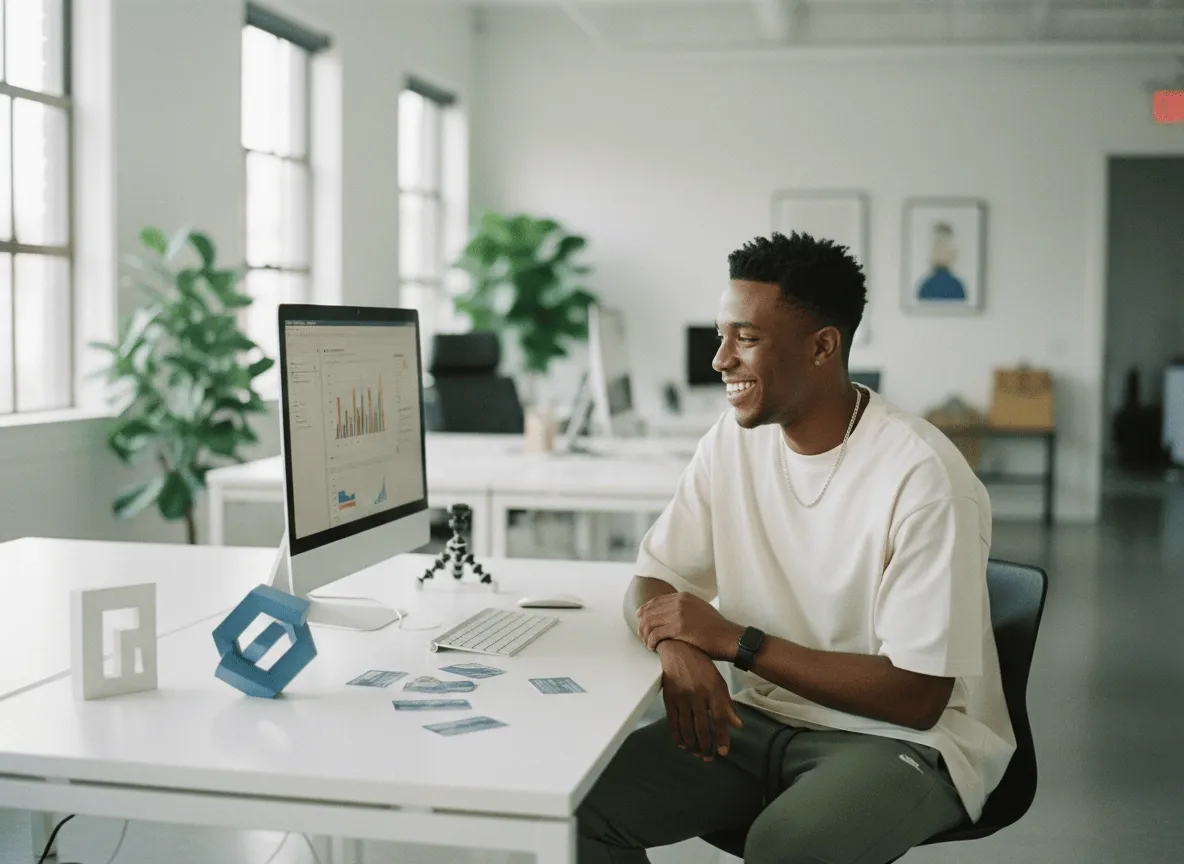
Transforme suas fotos de produto de baixa resolução em visuais mais profissionais para anúncios, páginas de produto e promoções. Ajude quem compra a ver o detalhe mais rápido e se sentir mais confiante.
Melhore fotos de graffiti, arte de rua, pôsteres e outros visuais criativos com linhas mais firmes, texturas mais limpas e mais detalhe. Faça seu trabalho se destacar em feeds lotados.
Afine clipart, ícones e gráficos simples até assets mais limpos que cabem em trabalho real. Faça apresentações, conteúdo social e materiais de marketing sem começar do zero.
Traga retratos de família, fotos de viagem e fotos pessoais com rostos mais claros, mais detalhe e melhor qualidade. Suas memórias ficam mais fáceis de guardar, imprimir ou compartilhar.
Transforme suas fotos de produto de baixa resolução em visuais mais profissionais para anúncios, páginas de produto e promoções. Ajude quem compra a ver o detalhe mais rápido e se sentir mais confiante.
Melhore fotos de graffiti, arte de rua, pôsteres e outros visuais criativos com linhas mais firmes, texturas mais limpas e mais detalhe. Faça seu trabalho se destacar em feeds lotados.
Afine clipart, ícones e gráficos simples até assets mais limpos que cabem em trabalho real. Faça apresentações, conteúdo social e materiais de marketing sem começar do zero.
Uma ampliação raramente é a única pergunta. Fique no Viralkey Studio para restaurar o mesmo still em 1×, recortar num fundo transparente ou tentar um acabamento de retrato no mesmo rosto.

Recupere nitidez no mesmo tamanho, ou amplie 2× / 4×.

Recupere nitidez de uma foto mole ou tremida sem redesenhar a cena.
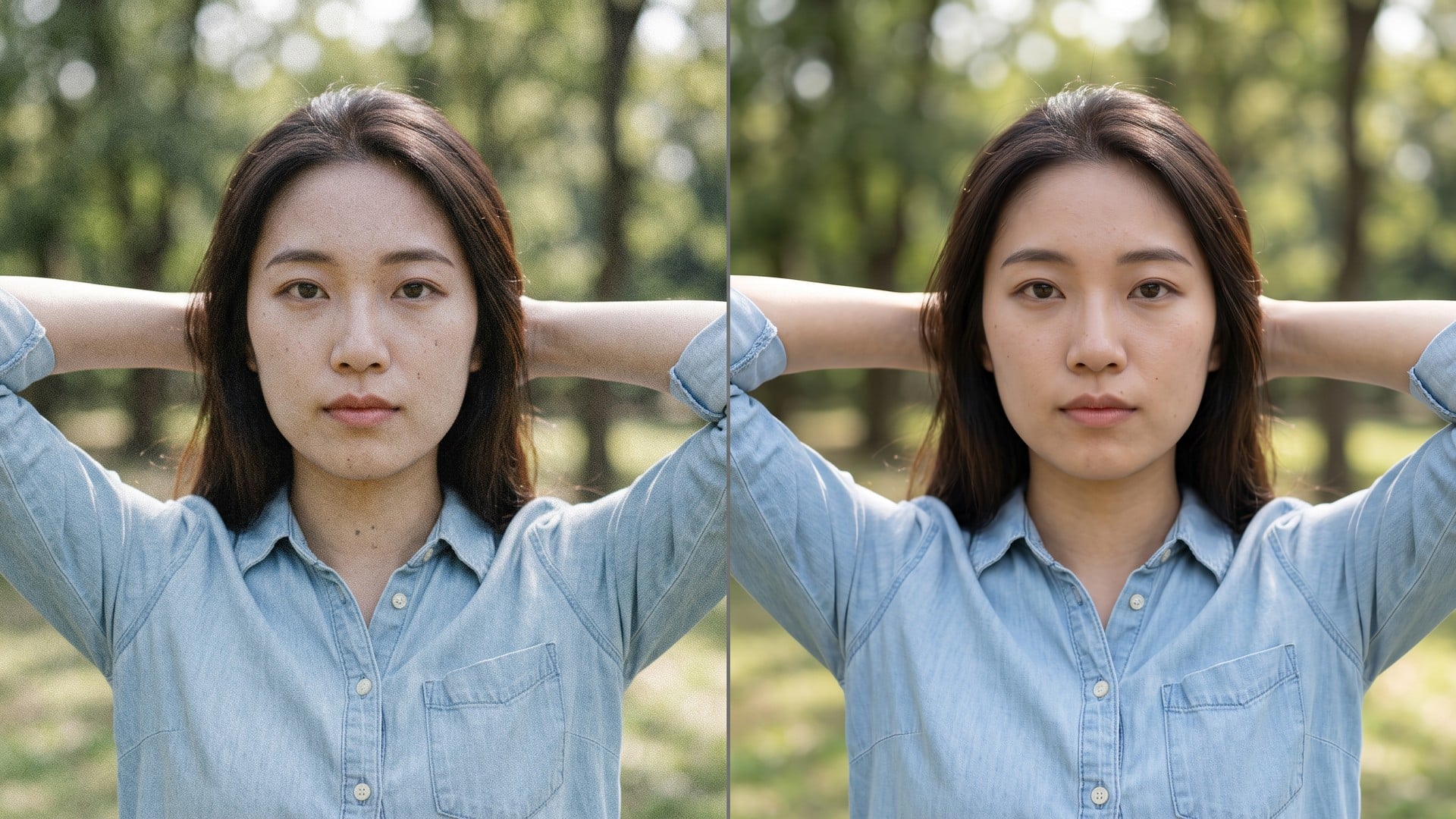
Limpe grão e compressão e mantenha a textura real do quadro.
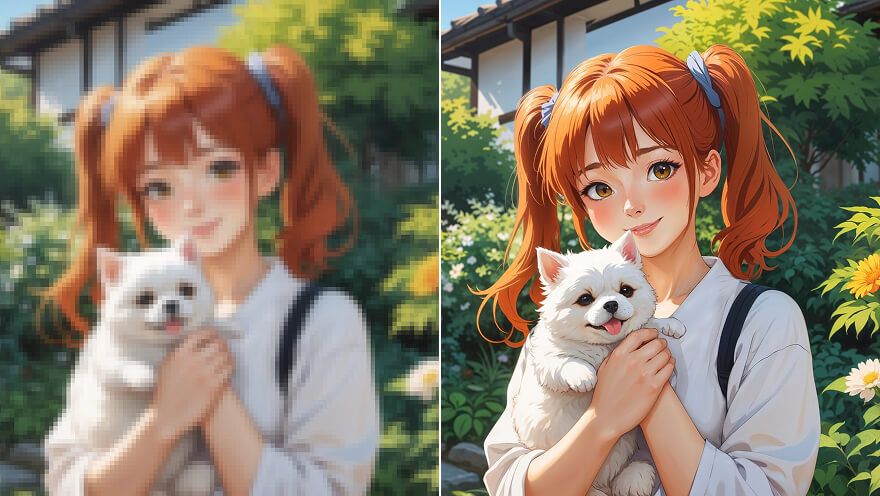
Amplie um still de anime 2× ou 4× e recupere o traço — o mesmo passe do Image Upscaler.
Explore modelos líderes para vídeo com IA, geração de imagens, edição e storytelling cinematográfico.

Create Wan 3.0 clips on Viralkey: native 1080p, 2–30 seconds, start/end frames, up to 20 mixed references, and audio generated with the picture.

Crie clips cinematográficos MiniMax H3 no Viralkey: 2K nativo, até 15 segundos, Text to Video, Start/End Frame e até nove imagens de referência.

Gere clipes HD curtos na Viralkey com direção de frame inicial/final e até 50 imagens de referência. Feito para cenas de videoclipe e takes de performance.

Create cinematic Seedance 2.0 clips on Viralkey: native 4K, start/end frames, up to nine reference images, and built-in audio with lip-sync.
Notas de criadores que usaram esta ferramenta em trabalho de verdade.
Zane Pell
CriadorEu precisava do produto mais nítido, não de uma foto nova.
O 1× manteve o recorte e limpou as bordas.
Briar Holt
Product managerRodei o mesmo selfie em 2× para um pôster.
Ficou maior sem virar pele de plástico.
Cleo Marsh
FotógrafoUnblur foi a busca que usei, mas o chip 1× era o que eu de fato precisava.
Dax Keane
Criador no YouTubeO Denoise limpou o grão da noite e deixou a textura do tijolo.
Esse era o brief inteiro.
Hadrian Pike
Responsável por redesO PNG transparente do remover caiu direto numa miniatura preta.
Frost Renn
Designer4× num scan de arquivo pequeno.
Os rostos continuaram as mesmas pessoas. Eu só ganhei pixels.
Gwyneth Blair
IlustradorParei de pagar um retocador para «deixar menos borroso».
Este é esse trabalho.
Ivo Stern
ConsultorTroquei o chip de 1× para 2× na página do enhancer.
Mesmo motor, arquivo maior.
Joss Vale
InfluencerO fundo saiu limpo em volta do cabelo.
Sem halo branco para mascarar na mão.
O Image Upscaler do Viralkey é um passe de ampliação dedicado para uma foto que você já tem. Você envia um still, escolhe 2× ampliar ou 4× ampliar para crescer a aresta mais longa, ou 1× melhorar para recuperar nitidez no tamanho original. Não é uma reescrita generativa: a cena, a pose e a identidade ficam as da origem. Use quando um quadro está pequeno demais para um post, uma impressão ou um deck — não quando você quer uma imagem nova inventada a partir de um prompt.
Precisa de um master maior, não de uma foto nova? O Image Upscaler do Viralkey amplia a aresta mais longa 2× ou 4×, ou recupera nitidez em 1×, sem inventar um recorte, um rosto ou um cômodo novo.