캠페인 소재를 더 빠르게
배너, 광고, 이메일, 랜딩 페이지용 거친 이미지를 보정해 윤곽이 또렷한 채로 캠페인을 더 빨리 진행하세요.
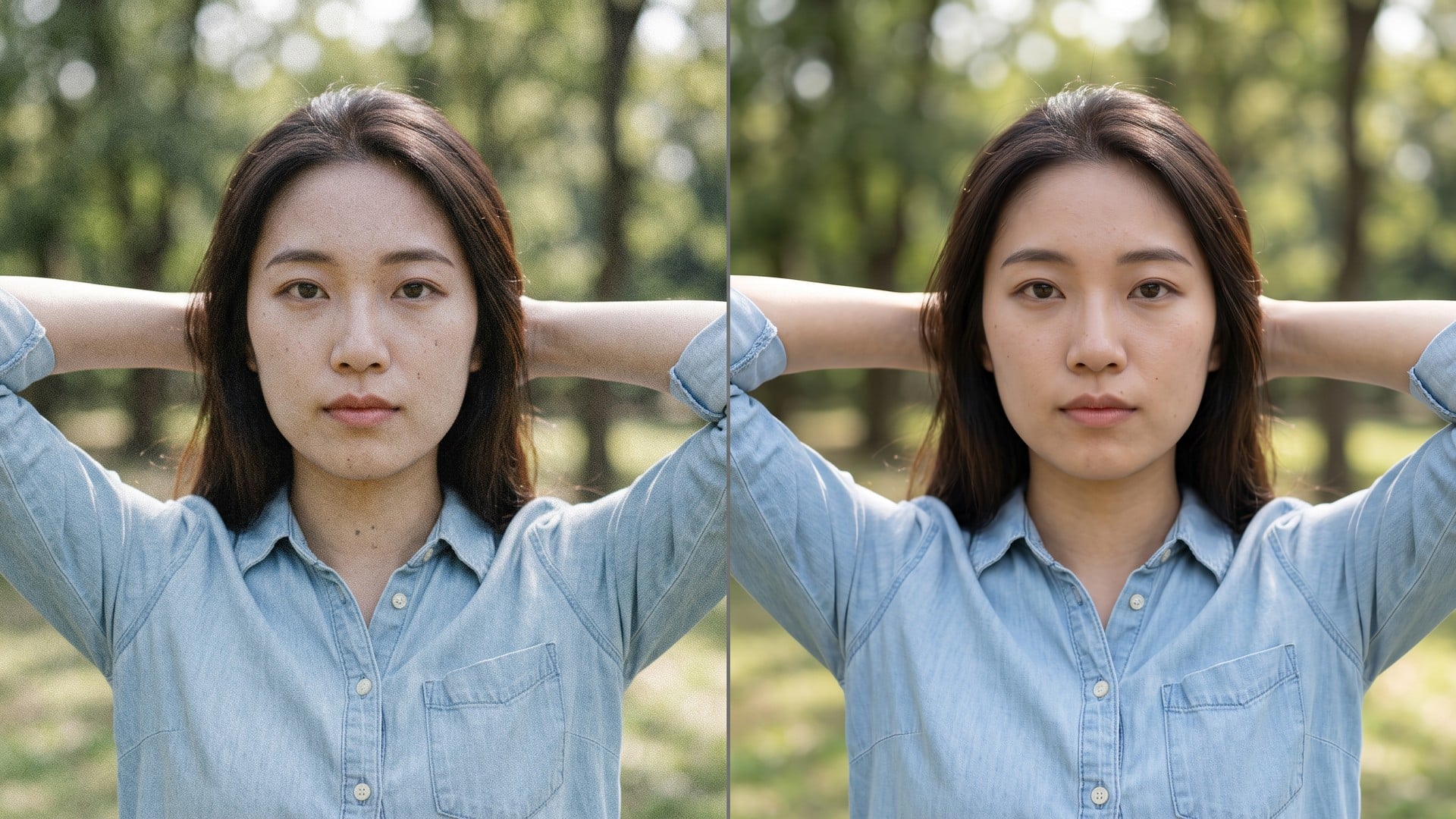
흐리고 노이즈가 많거나 너무 작은 스틸을 올리세요. Viralkey Image Enhancer는 같은 크기에서 선명도를 되찾거나 가장 긴 변을 2× 또는 4×로 키우고, 새 장면이나 새 얼굴은 만들지 않습니다.


Image Enhancer
온라인 이미지 보정
흐리고 노이즈가 많거나 너무 작은 스틸을 올리세요. Viralkey Image Enhancer는 같은 크기에서 선명도를 되찾거나 가장 긴 변을 2× 또는 4×로 키우고, 새 장면이나 새 얼굴은 만들지 않습니다.
흐리고 입자가 많거나 너무 작은 스틸을 읽을 수 있는 파일로 되돌리세요. Viralkey Image Enhancer는 1× 보정으로 원본 크기 윤곽을 살리거나 2× 확대·4× 확대로 가장 긴 변을 늘립니다. 색 슬라이더나 브러시는 없고, 생성으로 다른 방을 다시 그리는 처리도 아닙니다.
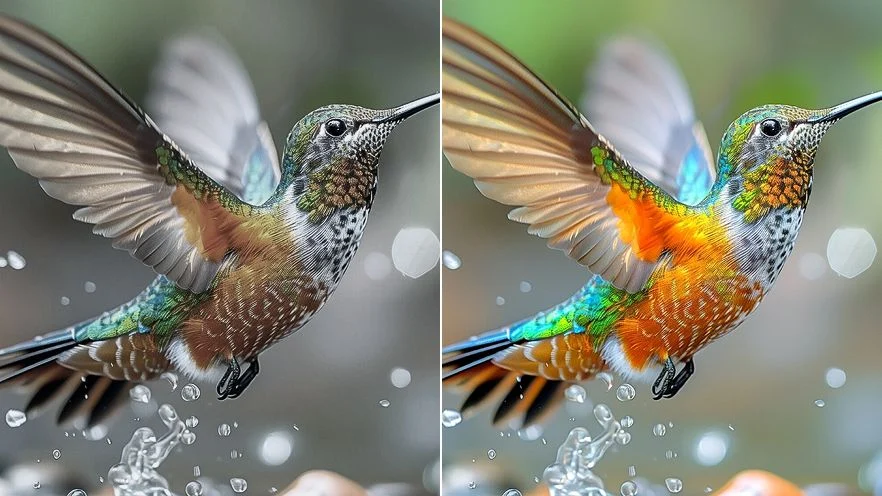
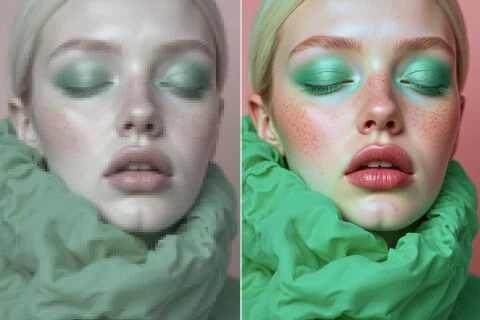
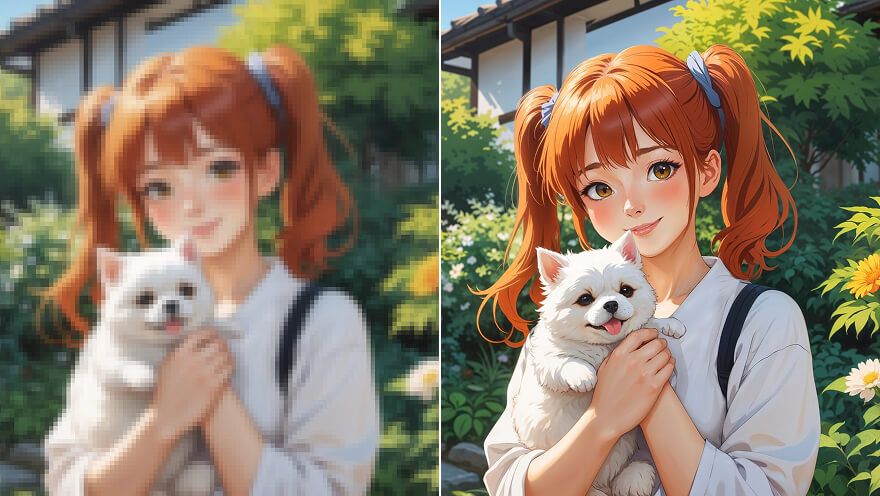
저해상도 사진을 게시나 자료에 쓸 수 있는 스틸에 가깝게 만듭니다. 1× 보정은 같은 화소 상자에서 예리함을 살리고, 2× 확대와 4× 확대는 가장 긴 변을 실제로 늘립니다. 늘린 미리보기가 아닙니다. 이미 큰 원본을 다시 4×로 키워도 도움이 되지 않는 경우가 많습니다.
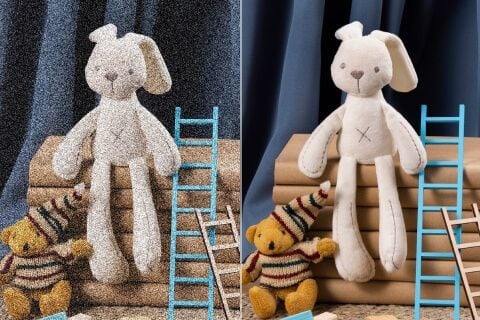
초점이나 조명 때문에 윤곽이 떨어진 사진에 같은 품질 패스를 적용합니다. Unblur Images, Denoise AI와 엔진이 같고 기본 칩만 다릅니다. 복잡한 편집기는 필요 없습니다. 구조가 없는 야경에서 담기지 않은 디테일은 자라지 않습니다.
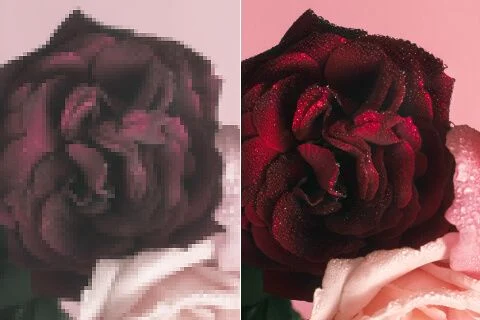
품질 패스는 국소 대비도 정리합니다. 밝기나 채도를 하나씩 만지는 슬라이더는 없습니다. 결과는 원래 빛 그대로 글자, 피부, 천이 조금 더 읽히게 되는 것입니다. 별도 색보정 스튜디오가 아닙니다.
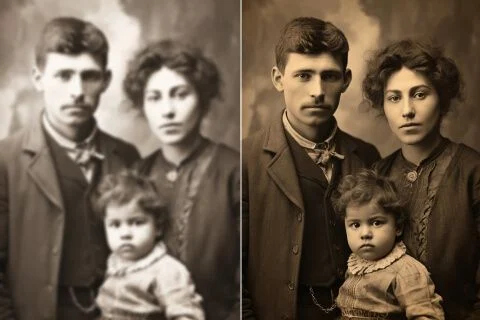
바랜 스캔이나 초기 폰 스틸을 최신 화면에서도 버티는 파일에 가깝게 만듭니다. 친척을 생성 닮은꼴로 바꾸지 않습니다. 찢김·얼룩 공방도 아닙니다. 아직 가진 가장 깨끗한 원본에서 시작하세요.
이미 마음에 드는 JPEG, PNG, WebP를 Viralkey에 올리세요.
1× 보정을 두거나 2× 확대 / 4× 확대로 바꾼 뒤 생성하세요.
원본 옆에 놓고 확인한 뒤, 게시나 인쇄에 쓸 파일을 받으세요.
품질 패스가 유일한 질문은 거의 없습니다. Viralkey Studio에 머물며 같은 스틸을 키우거나, 투명 배경으로 오르거나, 같은 얼굴의 초상 마감을 시험하세요.
AI 영상, 이미지 생성, 편집, 시네마틱 스토리텔링을 위한 주요 모델을 살펴보세요.

Create Wan 3.0 clips on Viralkey: native 1080p, 2–30 seconds, start/end frames, up to 20 mixed references, and audio generated with the picture.

Viralkey에서 시네마틱 MiniMax H3 클립을 만드세요: 네이티브 2K, 최대 15초, Text to Video, Start/End Frame, 최대 9장의 참조 이미지.

Viralkey에서 시작/끝 프레임과 최대 50장의 참조 이미지로 짧은 HD 클립을 생성하세요. 뮤직비디오 장면과 퍼포먼스 샷에 적합합니다.

Create cinematic Seedance 2.0 clips on Viralkey: native 4K, start/end frames, up to nine reference images, and built-in audio with lip-sync.
실제 작업에서 이 도구를 쓴 크리에이터들의 후기입니다.
Nyla Voss
크리에이터새 사진이 아니라 더 또렷한 상품 샷이 필요했다.
1×가 크롭을 지키고 윤곽을 정리했다.
Orin Hale
프로덕트 매니저같은 셀피를 포스터용으로 2×.
커졌는데 플라스틱 피부는 되지 않았다.
Paget Crowe
사진가검색어는 Unblur였다.
실제로 필요했던 것은 1× 칩이었다.
Remy Calder
유튜버Denoise가 밤 그레인을 정리하고 벽돌 질감은 남겼다.
그게 브리프 전부였다.
Sena Whitlock
소셜 미디어 책임자누끼 PNG를 검은 썸네일에 그대로 올렸다.
Taryn Moss
디자이너작은 아카이브 스캔을 4×.
얼굴은 같은 사람들이고 화소만 늘었다.
Udo Kessler
일러스트레이터'덜 뭉개지게'라고 리터처에게 맡기던 일을 그만뒀다. 그게 이 일이다.
Veda Lang
컨설턴트보정 페이지에서 칩만 1×에서 2×로 바꿨다.
같은 엔진, 더 큰 파일.
Wynn Adler
인플루언서머리카락 주변 배경이 깨끗하게 떨어졌다.
손으로 마스크할 흰 후광은 없었다.
Viralkey Image Enhancer는 이미 가진 사진을 위한 전용 품질 패스입니다. 스틸 한 장을 올리고, 같은 화소 크기를 유지하려면 1× 보정, 가장 긴 변을 키우려면 2× 확대 / 4× 확대를 고른 뒤 더 또렷한 파일을 받습니다. 생성형 재작성이 아닙니다. 장면, 포즈, 신원은 원본 그대로입니다. 게시, 인쇄, 자료에 흐리거나 노이즈가 많거나 너무 작은 프레임에 쓰세요. 프롬프트로 새 그림이 필요할 때는 쓰지 마세요.
흐리고 노이즈가 많거나 너무 작은 스틸을 올리세요. Viralkey Image Enhancer는 같은 크기에서 선명도를 되찾거나 가장 긴 변을 2× 또는 4×로 키우고, 새 장면이나 새 얼굴은 만들지 않습니다.