Weiche Porträts schärfen
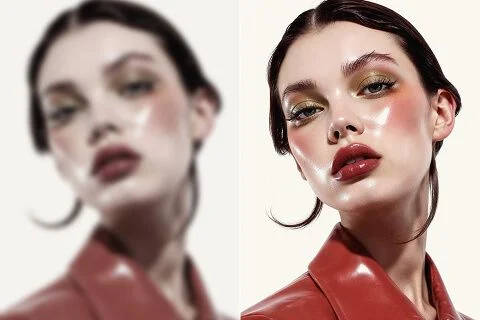
Hol Kanten in Porträts zurück, die fast stimmen. Augen und Haaransatz sollen lesbarer werden — dasselbe Gesicht, kein generiertes Double.
Ein weiches Selfie oder ein leicht verwackeltes Produktfoto kann trotzdem der richtige Ausschnitt sein. Viralkeys Unblur-Durchlauf holt Kantenschärfe mit 1× verbessern oder vergrößert mit 2× vergrößern und 4× vergrößern — ohne ein neues Gesicht oder einen neuen Raum zu erfinden.


Unblur Images
Unschärfe entfernen
Ein weiches Selfie oder ein leicht verwackeltes Produktfoto kann trotzdem der richtige Ausschnitt sein. Viralkeys Unblur-Durchlauf holt Kantenschärfe mit 1× verbessern oder vergrößert mit 2× vergrößern und 4× vergrößern — ohne ein neues Gesicht oder einen neuen Raum zu erfinden.
Suchen nach Unblur Images meinen meist: die Aufnahme stimmt fast, die Kanten sind weich. Diese Seite startet auf 1× verbessern, damit du zuerst eine Rettung in derselben Größe bekommst. 2× vergrößern und 4× vergrößern bleiben auf der Option, wenn du auch ein größeres Master brauchst. Image Enhancer, Image Upscaler und Denoise AI teilen diesen Durchlauf — wechsle die Option, wenn Größe das echte Problem war.
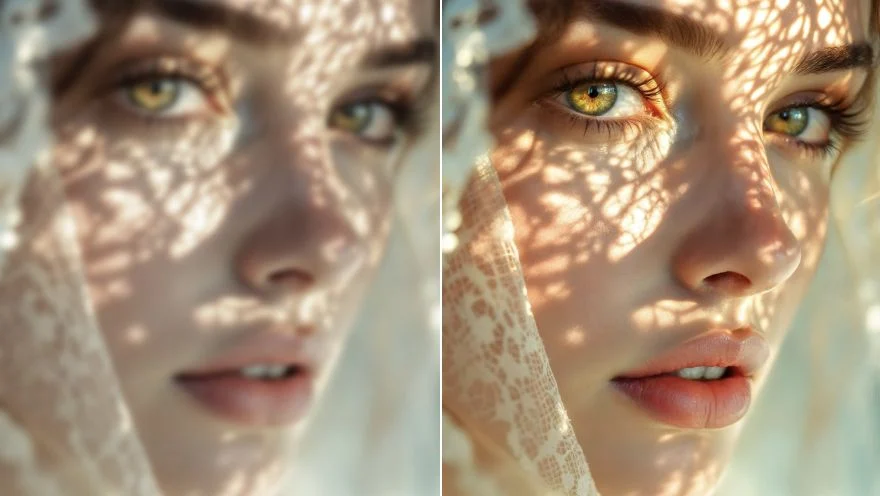
Unblur ist nutzlos, wenn danach ein anderer Mensch dasteht. Dieser Durchlauf soll Pose, Raum und Identität halten und sich auf Kanten legen, die Bewegung oder Unschärfe verwischt hat. Du solltest Vorher und Nachher paaren können. Eine völlig zerstörte Nachtaufnahme ohne Struktur wächst keine Details, die nie aufgenommen waren. Starte vom saubersten Original, das du noch hast.
Jetzt ausprobierenHier ist 1× verbessern vorausgewählt, weil die meisten Unblur-Suchen um Schärfe gehen, nicht um Poster. Du kannst trotzdem 2× vergrößern oder 4× vergrößern tippen, wenn die Datei auch zu klein ist. Diese drei Werte sind dasselbe geschlossene Set wie auf der Image-Enhancer-Seite. Vier Such-URLs, eine Engine. Erwarte kein privates Deblur-Netz hinter dieser Seite — der ehrliche Unterschied ist die Standardoption und der Wortlaut.
Jetzt ausprobieren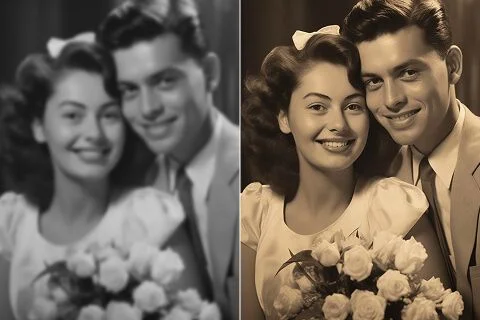
Es gibt nichts zu schreiben. Das Ausgangsfoto ist der Auftrag, die Skalierungsoption die einzige Entscheidung. Ein Prompt würde eine generative Umschreibung einladen, die diese Seite nicht macht, deshalb ist das Feld versteckt. Hochladen, 1× verbessern lassen oder wechseln, generieren, vergleichen. Dieselbe Datei mit 2× vergrößern erneut starten, wenn das gerettete Standbild auch einen größeren Platz füllen muss.
Jetzt ausprobierenEin Unblur-Tool ist nützlich, wenn die Fotografie sie selbst bleiben kann und nur die Kanten Hilfe brauchen. Jeder Punkt unten ist dieses Versprechen: ein Standard in derselben Größe, eine geteilte Engine und eine Datei, die du neben das Original legen kannst, ohne ein neues Gesicht zu erklären.
1× verbessern legt den Durchlauf auf Schärfe und lokalen Kontrast in der originalen Pixelbox. 2× vergrößern und 4× vergrößern machen dieselbe Arbeit und vergrößern zusätzlich die längste Kante. Es gibt keine getrennte Auswahl „Bewegung“ gegen „Unschärfe“, weil das ein Qualitätsdurchlauf ist, kein Regal an Deblur-Modi. Ist die Unschärfe leicht, ist 1× verbessern das ganze Produkt. Brauchst du auch ein Poster, wechsle die Option.
Jetzt ausprobieren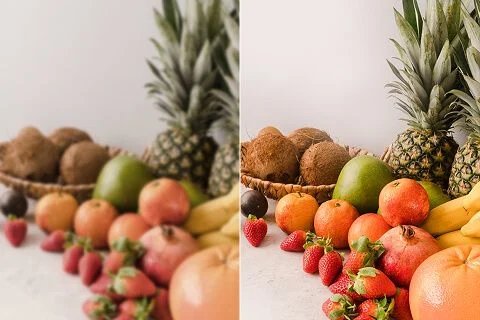
Das ist kein Text-zu-Bild-Restyle. Die Quelle geht durch einen Qualitätsdurchlauf und kommt als dieselben Menschen im selben Raum zurück, mit klareren Kanten. Das ist der Unterschied zwischen „dieses Foto entblurren“ und „mach mir ein schärfer wirkendes Foto von jemand anderem“. Nutze ein Porträt, Produkt- oder Handystandbild, das du schon behalten willst.
Jetzt ausprobieren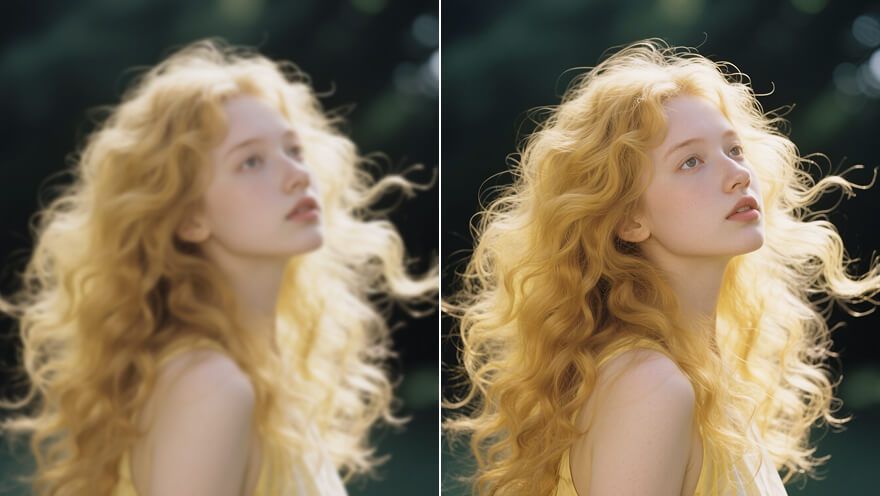
Image Enhancer, Image Upscaler und Denoise AI sind keine vier geheimen Algorithmen. Sie sind vier Türen zu diesem Durchlauf, mit unterschiedlicher Standardoption und unterschiedlichem Suchtitel. Du kannst hier auf 1× verbessern starten und selbst auf 2× vergrößern wechseln. Das sagen wir offen, damit ein Vergleichsscreenshot nicht wie vier Produkte wirkt. Eine Engine. Vier URLs. Ehrlicher Maßstab.
Jetzt ausprobieren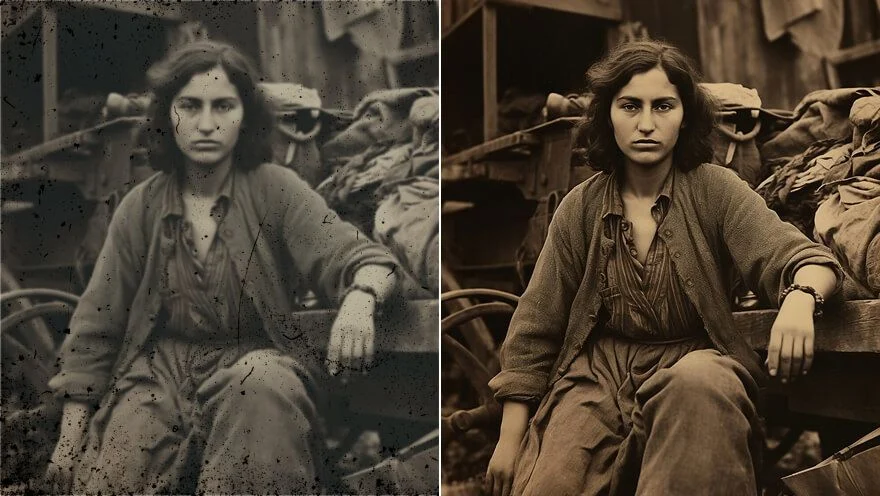
Ergebnisse sind Dateien zum Herunterladen: ein weniger matschiges Angebotsfoto, ein gerettetes Selfie, ein Story-Frame, der nicht mehr versehentlich verwackelt wirkt. Die Rettung einer völlig verschmierten Nachtaufnahme wird nicht zugesichert. Hat die Quelle keine Kante mehr, erfindet ein zweiter Durchlauf keine. Starte vom saubersten Original, dann wähle den Maßstab, den das Ziel braucht.
Jetzt ausprobierenHol Kanten in Porträts zurück, die fast stimmen. Augen und Haaransatz sollen lesbarer werden — dasselbe Gesicht, kein generiertes Double.
Hol verpixelte oder weiche Familienscans auf eine Datei, die auf einem modernen Bildschirm hält. Die Menschen bleiben die, die du gescannt hast.
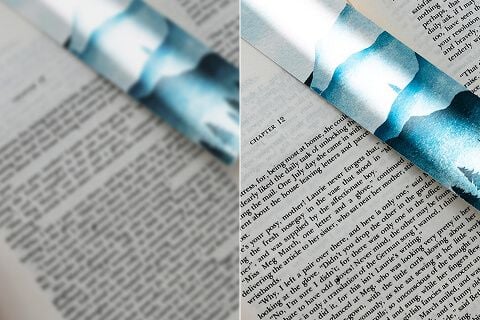
Schärfe weiche Schrift auf Scans, Screenshots oder Kamerafotos. Der Durchlauf holt Kante; er transkribiert kein Dokument neu.
Hol Kante in unklare Produktfotos — dieselbe Packung, lesbarere Schrift und Naht.
Hol Kanten in Porträts zurück, die fast stimmen. Augen und Haaransatz sollen lesbarer werden — dasselbe Gesicht, kein generiertes Double.
Hol verpixelte oder weiche Familienscans auf eine Datei, die auf einem modernen Bildschirm hält. Die Menschen bleiben die, die du gescannt hast.
Schärfe weiche Schrift auf Scans, Screenshots oder Kamerafotos. Der Durchlauf holt Kante; er transkribiert kein Dokument neu.
Hol Kante in unklare Produktfotos — dieselbe Packung, lesbarere Schrift und Naht.
Ein Unblur-Durchlauf ist selten die einzige Frage. In Viralkey Studio kannst du dasselbe Standbild vergrößern, auf Transparenz freistellen oder ein Porträt derselben Person weiterbearbeiten.

Foto schärfen — gleiche Größe, oder 2× / 4× vergrößern.

Ein Foto 2× oder 4× vergrößern, statt Pixel zu strecken.
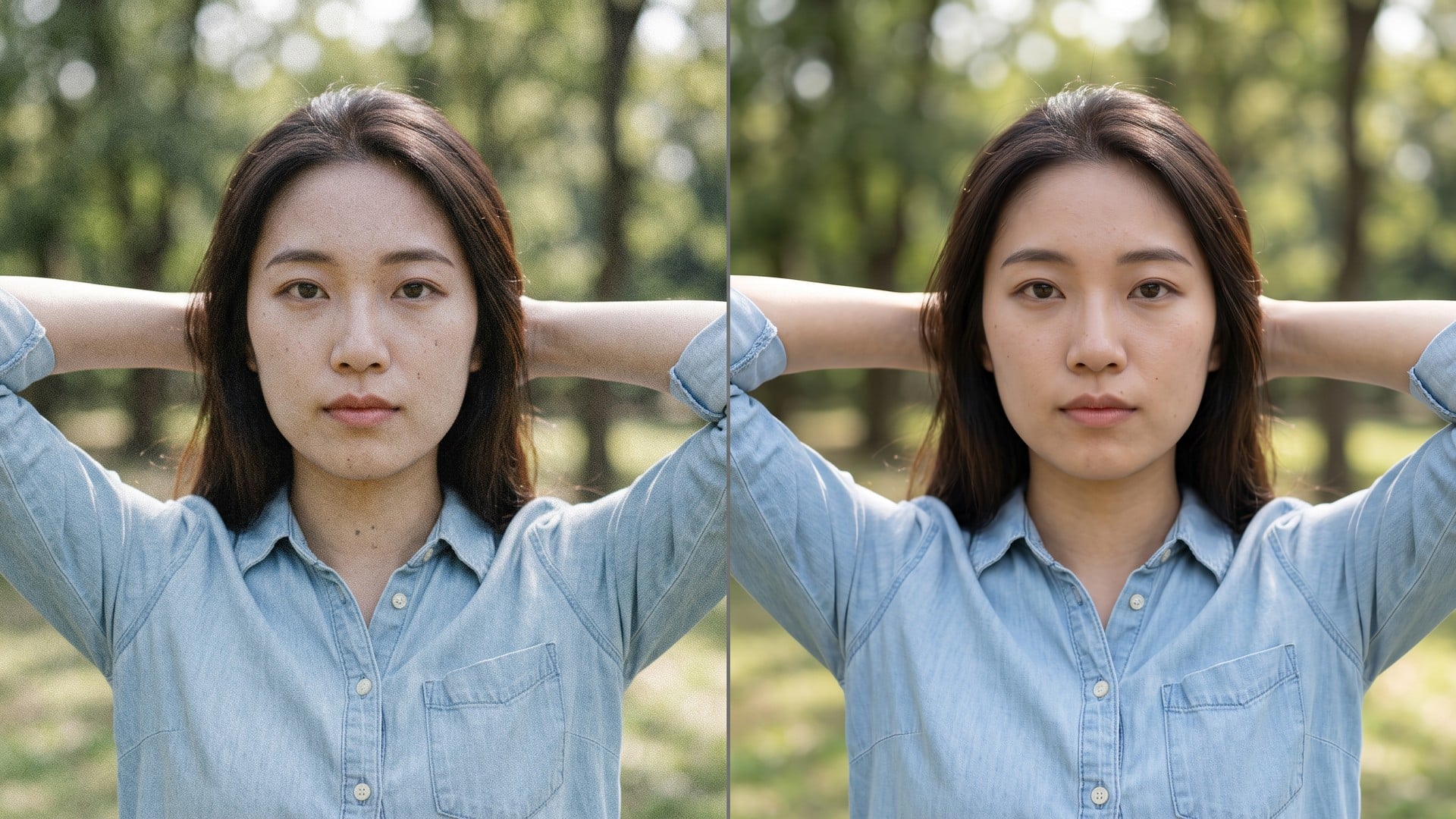
Korn und Kompressionsrauschen entfernen, echte Textur behalten.
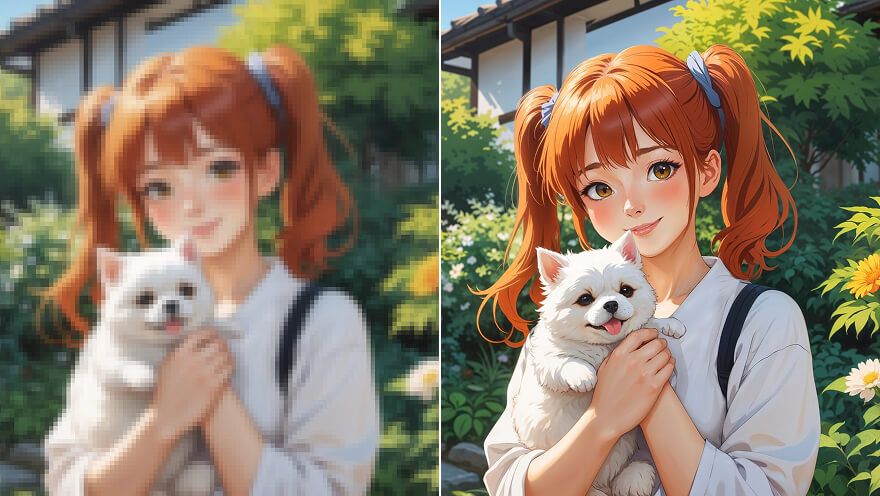
Anime-Stand 2× oder 4× vergrößern und Linien holen — derselbe Pass wie Image Upscaler.
Entdecke führende Modelle für KI-Video, Bildgenerierung, Bearbeitung und filmisches Storytelling.

Create Wan 3.0 clips on Viralkey: native 1080p, 2–30 seconds, start/end frames, up to 20 mixed references, and audio generated with the picture.

Erstelle cinematische MiniMax-H3-Clips auf Viralkey: natives 2K, bis 15 Sekunden, Text-to-Video, Start-/Endframe und bis zu neun Referenzbilder.

Erzeuge kurze HD-Clips auf Viralkey mit Start-/Endbild-Steuerung und bis zu 50 Referenzbildern. Für Musikvideo-Szenen und Performance-Aufnahmen.

Create cinematic Seedance 2.0 clips on Viralkey: native 4K, start/end frames, up to nine reference images, and built-in audio with lip-sync.
Stimmen von Creatorn, die dieses Tool an echter Arbeit genutzt haben.
Kendra Shaw
Content-ErstellerIch brauchte das Produktfoto schärfer, kein neues Foto.
1× verbessern behielt den Zuschnitt und säuberte die Kanten.
Nessa Quill
ProduktmanagerDasselbe Selfie mit 2× vergrößern für ein Poster.
Es wurde größer, ohne Plastikhaut.
Otis Bray
FotografIch habe nach Unblur gesucht, gebraucht habe ich 1× verbessern.
Piper Dunn
YouTuberDenoise hat das Nachtrauschen entfernt und die Ziegeltextur gelassen.
Genau der Auftrag.
Celeste Frost
Social-Media-LeitungDas transparente PNG vom Remover lag direkt auf einem schwarzen Vorschaubild.
Reeve Ames
Designer4× vergrößern bei einem kleinen Archivscan.
Die Gesichter blieben dieselben Menschen. Ich habe nur mehr Pixel bekommen.
Shiloh Grant
IllustratorIch zahle keinen Retuscheur mehr für „mach das weniger matschig“.
Das ist genau dieser Job.
Tove Lind
BeraterAuf der Enhancer-Seite von 1× verbessern auf 2× vergrößern gewechselt.
Dieselbe Engine, größere Datei.
Ula Barnes
InfluencerDer Hintergrund löste sich sauber um die Haare.
Kein weißer Saum, den ich von Hand maskieren musste.
Unblur Images ist ein Sucheinstieg in Viralkeys Qualitätsdurchlauf. Lade ein weiches oder leicht verwackeltes Standbild hoch, lass 1× verbessern für Kanten in der Originalgröße oder wähle 2× vergrößern / 4× vergrößern zum Mitvergrößern. Keine generative Umschreibung und kein separates Deblur-Netz: Image Enhancer, Image Upscaler und Denoise AI nutzen dieselbe Engine. Nutze es, wenn der Ausschnitt schon stimmt und nur die Schärfe versagt hat.
Ein weiches Selfie oder ein leicht verwackeltes Produktfoto kann trotzdem der richtige Ausschnitt sein. Viralkeys Unblur-Durchlauf holt Kantenschärfe mit 1× verbessern oder vergrößert mit 2× vergrößern und 4× vergrößern — ohne ein neues Gesicht oder einen neuen Raum zu erfinden.