BL
Bess Lang
CréateurPuce Filigrane, même table, tampon parti.
Je n’ai pas eu une nouvelle scène de catalogue.
Importez un still et désignez ce qui doit disparaître. Le Magic Eraser Viralkey retire cet objet, filigrane, légende ou personne en trop et reconstitue la zone depuis la même photographie — pas un nouveau décor, pas un détourage transparent.


Magic Eraser
Magic Eraser en ligne
Importez un still et désignez ce qui doit disparaître. Le Magic Eraser Viralkey retire cet objet, filigrane, légende ou personne en trop et reconstitue la zone depuis la même photographie — pas un nouveau décor, pas un détourage transparent.
Désignez l’objet, le filigrane, le texte, la personne en trop ou le logo. Le Magic Eraser remplit la zone depuis la même pièce, pas un studio inventé. Ce n’est pas un détourage : pour isoler le sujet sur transparence, utilisez Background Remover. Gardez le souvenir, retirez seulement la marque nommée.
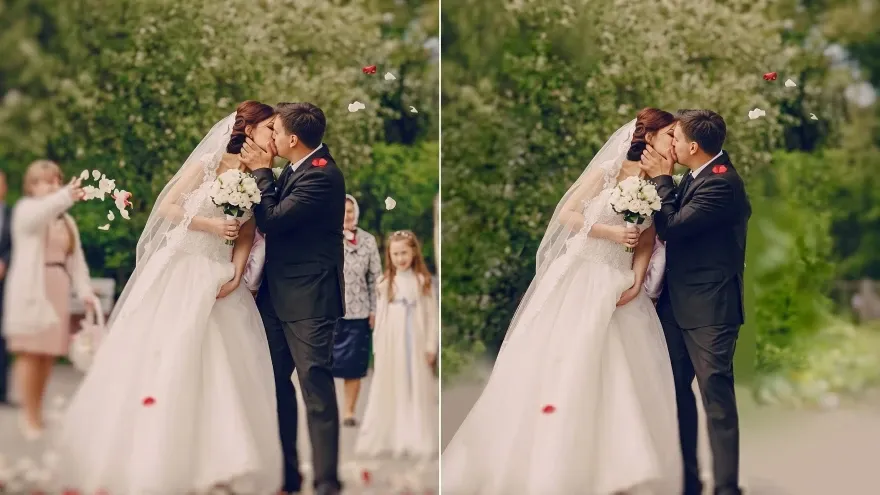

Un inconnu au bord, un passant ou une foule trop proche : « Personne en trop » désigne la catégorie. Vos proches, le chemin et la lumière doivent rester. Un concert bondé est plus dur qu’un photobomb sur une plage vide. Recadrez si la cible n’est pas évidente.
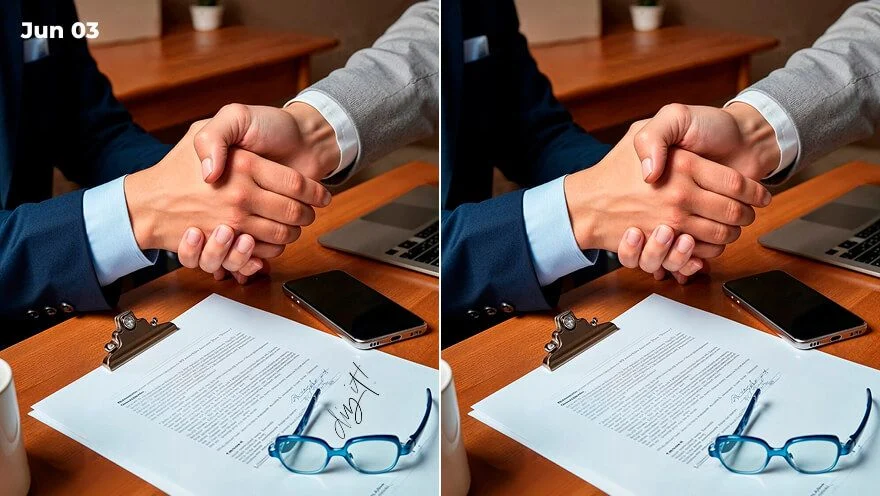
« Texte » vise horodatages et légendes incrustées. « Logo » vise un écusson ou une marque sur un mur. L’emballage imprimé sur un pack doit rester. Une phrase facultative précise quelle marque si deux correspondent.
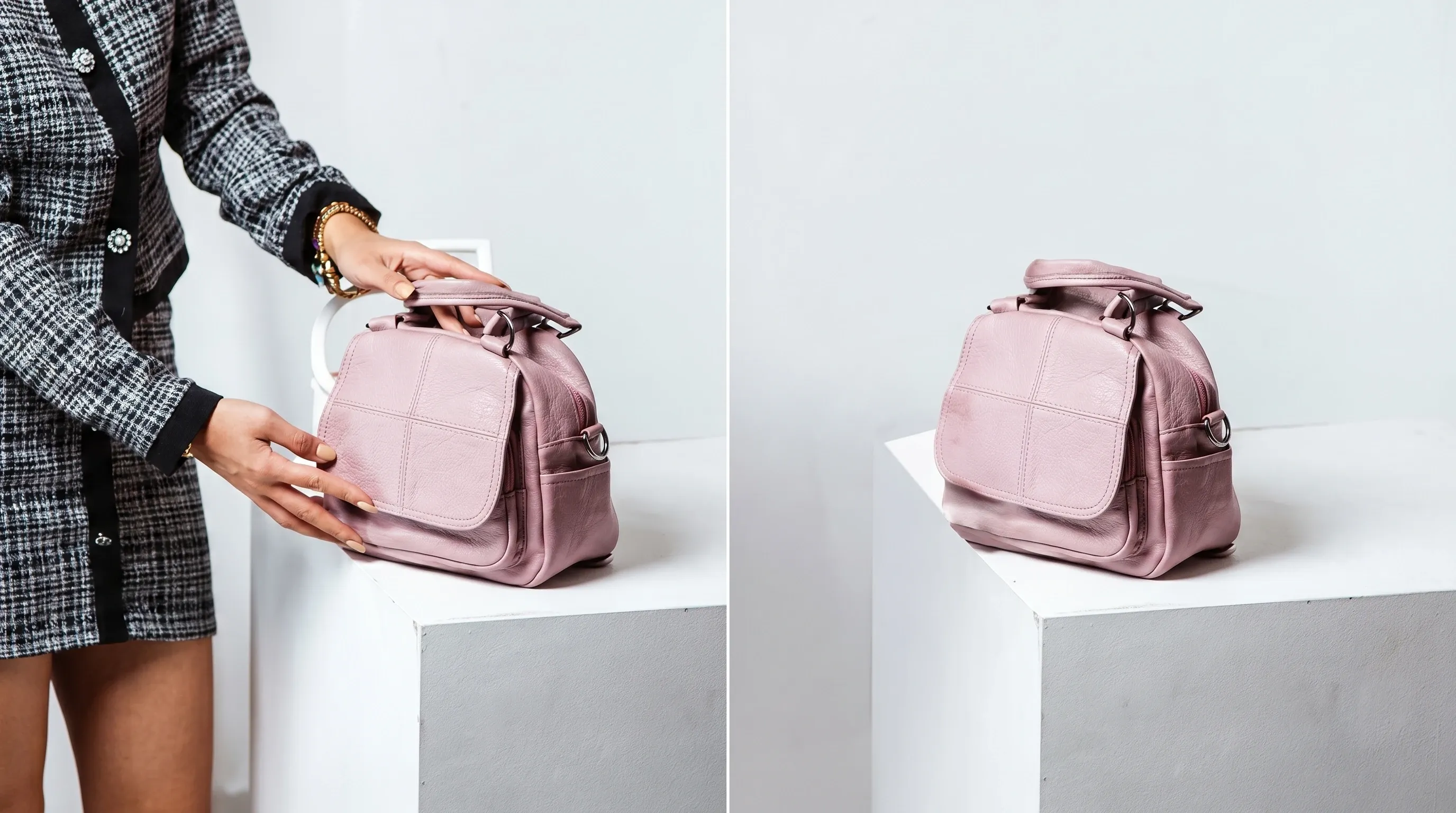
« Objet » couvre tasse, câble, sac ou panneau. Le raccord doit prolonger la table, le mur ou l’herbe déjà dans le cadre. Ce n’est pas un pinceau : désignez la cible, ne peignez pas de masque.
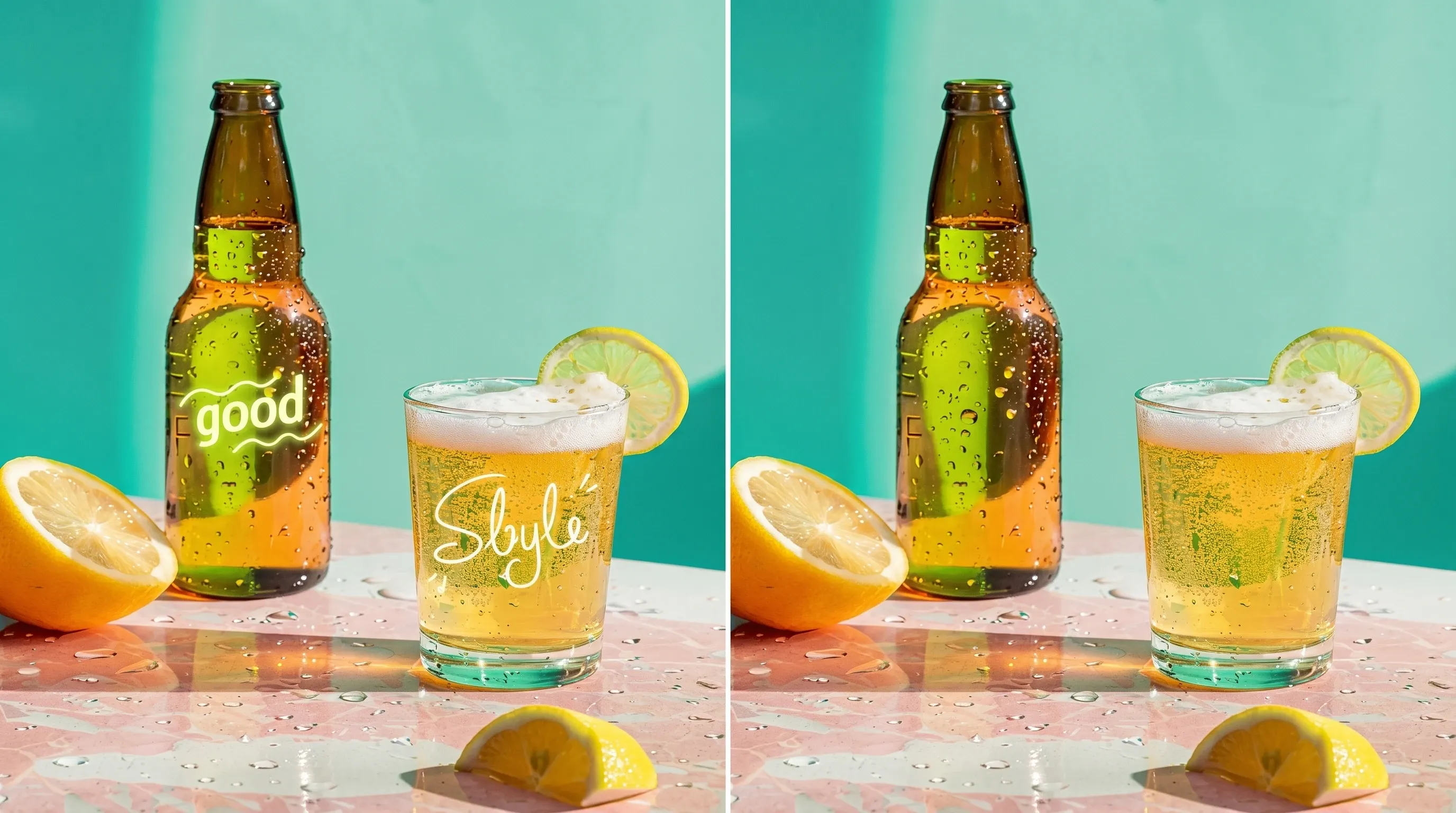
« Filigrane » retire tampon stock ou surimpression que vous avez le droit d’enlever. Le produit et l’étiquette doivent rester. Documents officiels et marques sans autorisation sont exclus.
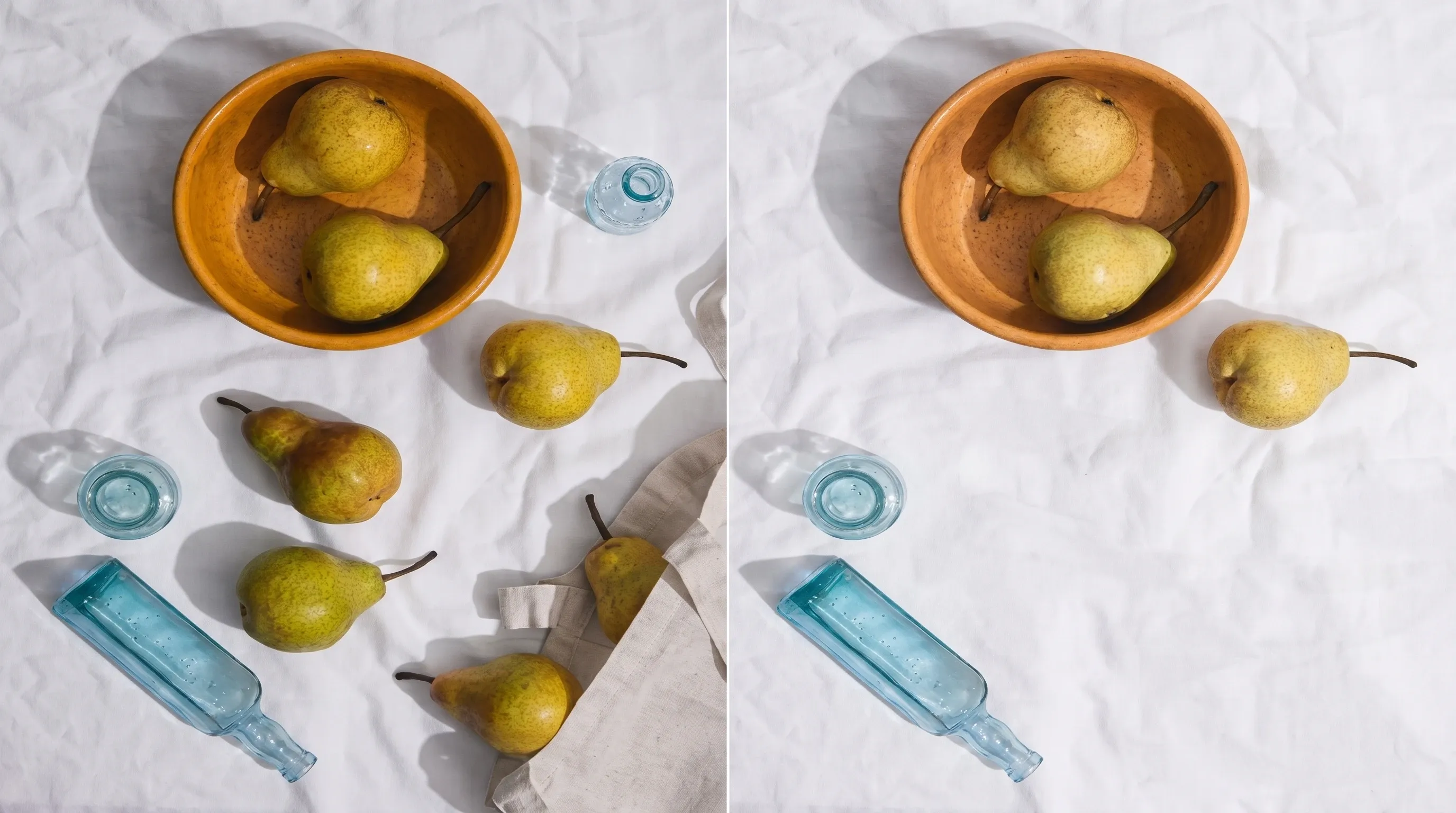
Cinq puces, une édition. Choisissez la catégorie, précisez l’instance si besoin, puis générez. Si le premier essai prend la mauvaise marque, recadrez ou clarifiez la note et repartez de l’original.

Le résultat reste une photographie complète. Background Remover isole le sujet sur alpha. Image Enhancer affine la netteté. Ici, un élément nommé part ; le reste du cadre tient.
Importez un JPEG, PNG ou WebP où la cible se voit clairement. Un cadre trop chargé est difficile : recadrez pour isoler la marque.
Choisissez Objet, Filigrane, Texte, Personne en trop ou Logo. Précisez laquelle si deux correspondent, puis générez — sans pinceau.
Comparez le raccord avec l’original. Si la mauvaise marque ou une main à garder a disparu, recadrez et repartez du fichier d’origine.
Effacer une marque est rarement la seule question. Restez dans Viralkey Studio pour affiner le même still, le détourer sur un fond transparent, ou agrandir le fichier que vous avez gardé.

Effacez un objet nommé et rebouchez le trou avec la même photo.

Supprimez une personne en trop et reconstruisez le trou sur le même still.

Effacez un tampon superposé et reconstruisez la zone avec la photo.

Effacez du texte incrusté et rebouchez le trou avec les pixels voisins.
Notes de créateurs qui ont utilisé cet outil sur de vrais jobs.
Bess Lang
CréateurPuce Filigrane, même table, tampon parti.
Je n’ai pas eu une nouvelle scène de catalogue.
Cyra Holt
Chef de produitJ’ai écrit « personne à gauche ».
La rue est restée la rue. C’était le brief.
Dell Ames
PhotographeL’horodatage a disparu du coin.
Le ciel du remplissage avait l’air du même après-midi.
Etta Voss
YouTubeurLe logo sur la tasse a disparu.
La céramique correspondait encore à l’anse à côté.
Gia Pell
Responsable des réseaux sociauxRemover pour le détourage, eraser pour le tampon.
Deux jobs, deux pages.
Hope Crowe
GraphisteAucun pinceau à apprendre.
Puce plus une phrase. Le photobomb était tout le problème.
Ivy Quinn
IllustrateurJ’ai d’abord essayé l’enhancer par erreur.
Cette page efface, elle n’affine pas.
Joy Calder
ConsultantRecadré plus serré, puis Personne en trop.
La seconde prise a laissé mon ami seul dans le cadre.
Kade Whitlock
InfluenceurPuce Texte sur un still de story.
Date partie, le mur de brique encore le même mur.
Le Magic Eraser Viralkey retire un élément nommé d’une photo que vous avez déjà et remplit la zone depuis l’image autour. Vous importez un still, choisissez Objet, Filigrane, Texte, Personne en trop ou Logo, et écrivez au besoin quelle instance. Le reste du cadre — pose, cadrage, lumière et les personnes à garder — doit rester. Ce n’est pas un détourage transparent et ce n’est pas la passe de qualité Image Enhancer.
Importez un still et désignez ce qui doit disparaître. Le Magic Eraser Viralkey retire cet objet, filigrane, légende ou personne en trop et reconstitue la zone depuis la même photographie — pas un nouveau décor, pas un détourage transparent.