
BL
Bess Lang
创作者「水印」类别,同一张桌子,印章没了。
没有给我换一张目录场景。
上传静图并指出要消失的东西。Viralkey 魔法橡皮擦去掉该物体、水印、字幕或多余的人,并用同一张照片重建那一块——不是新背景,也不是透明抠图。


Magic Eraser
在线魔法橡皮擦
上传静图并指出要消失的东西。Viralkey 魔法橡皮擦去掉该物体、水印、字幕或多余的人,并用同一张照片重建那一块——不是新背景,也不是透明抠图。
使用我们的魔法橡皮擦删除不需要的物体。它会填充擦除区域,呈现逼真的效果,并改善照片的焦点。通过删除照片中的路人来保持您的回忆完整,而不会改变场景,并通过干净的视觉效果来提高社交参与度。立即删除不需要的物体!
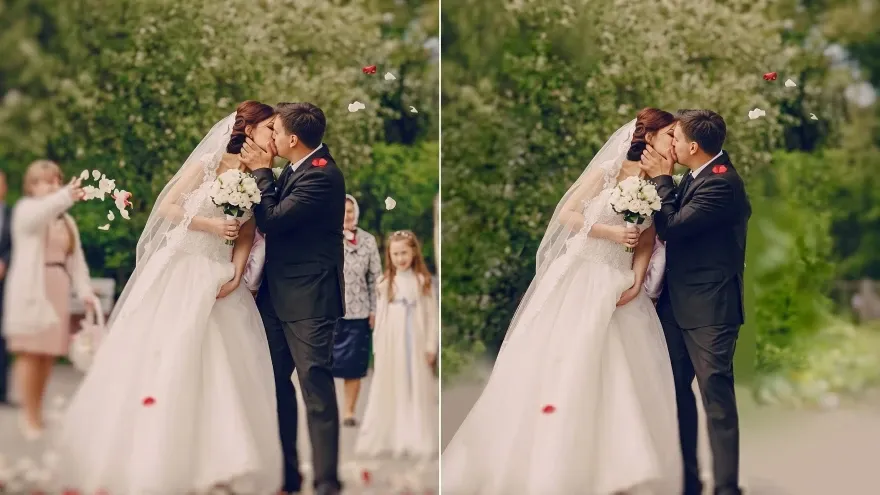
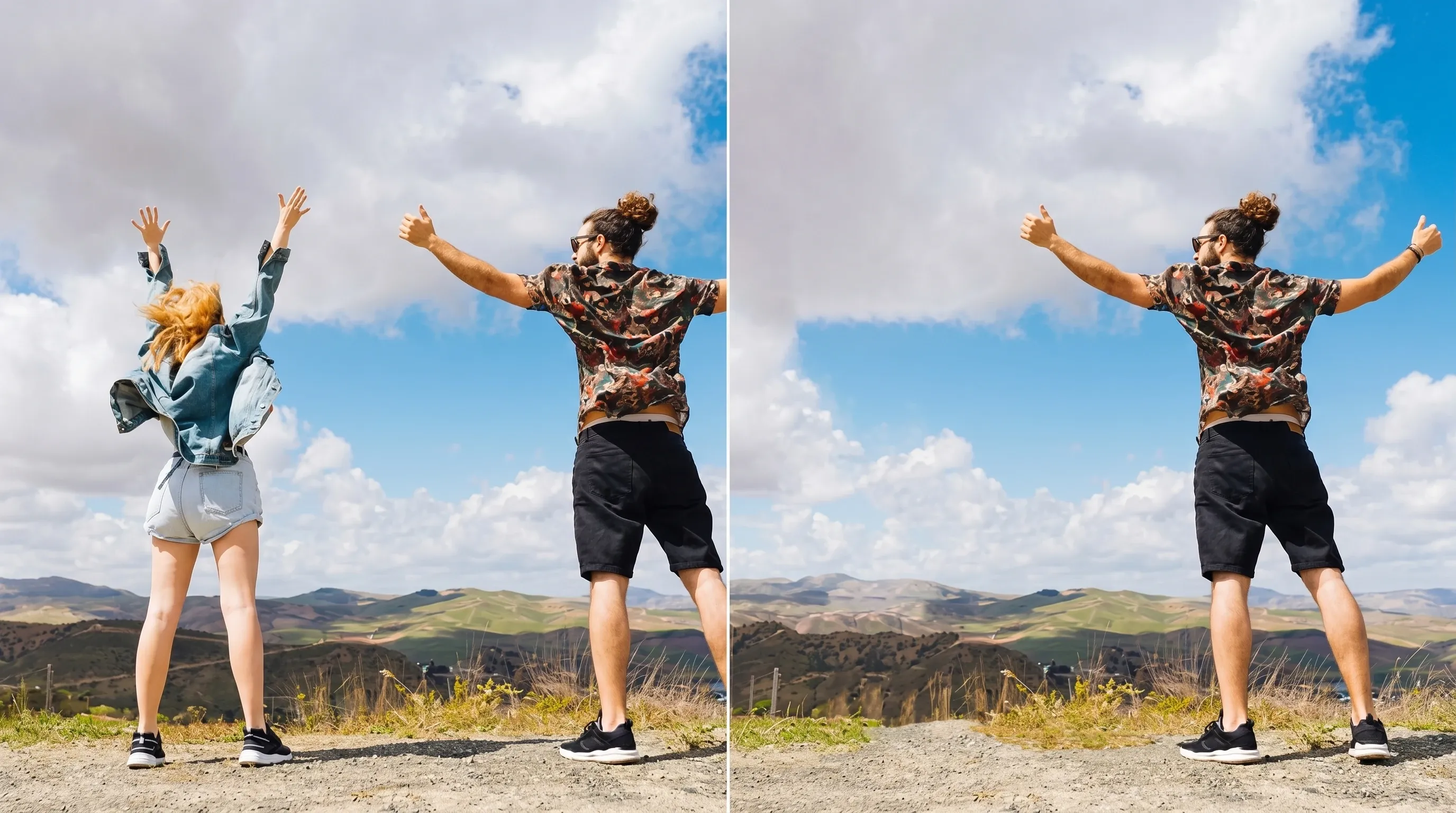
从照片中移除人物(徒步旅行者、路人或人群),让您的主要拍摄对象脱颖而出。非常适合旅行照片、风景照和感觉过于杂乱的人像。
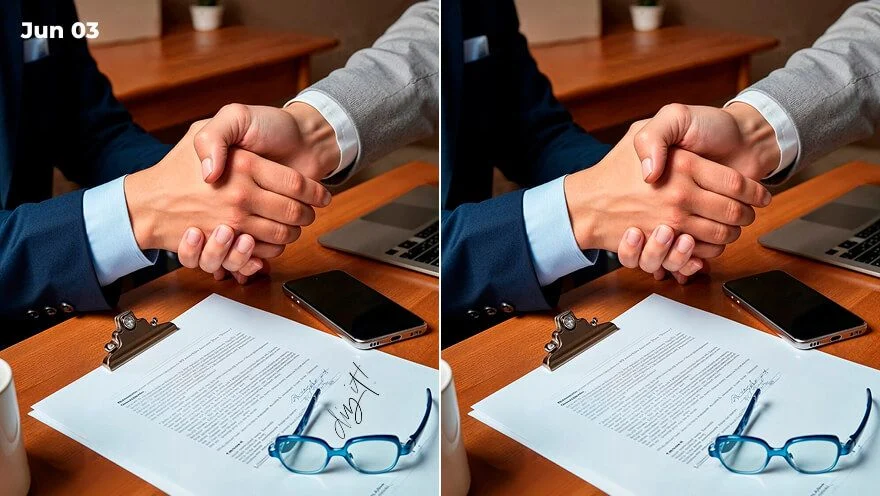
从照片中擦除不需要的文本和徽标,使照片看起来更简洁。可用于产品图片、社交媒体帖子或需要减少干扰的个人照片。
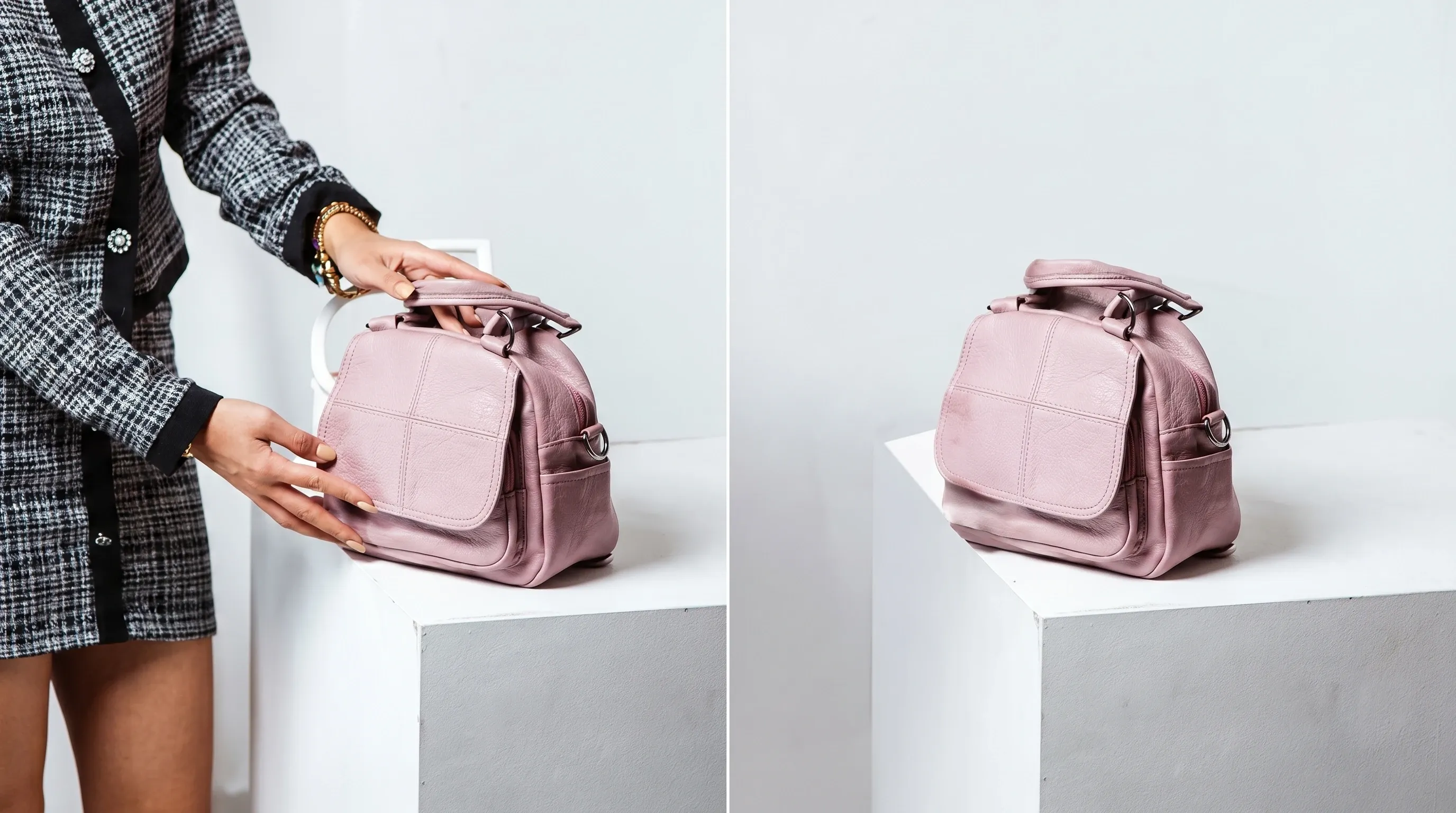
使用我们的 AI 橡皮擦清理杂乱的背景并改善图像焦点,从而创建更专业的图像,以供分享、编辑或个人使用。
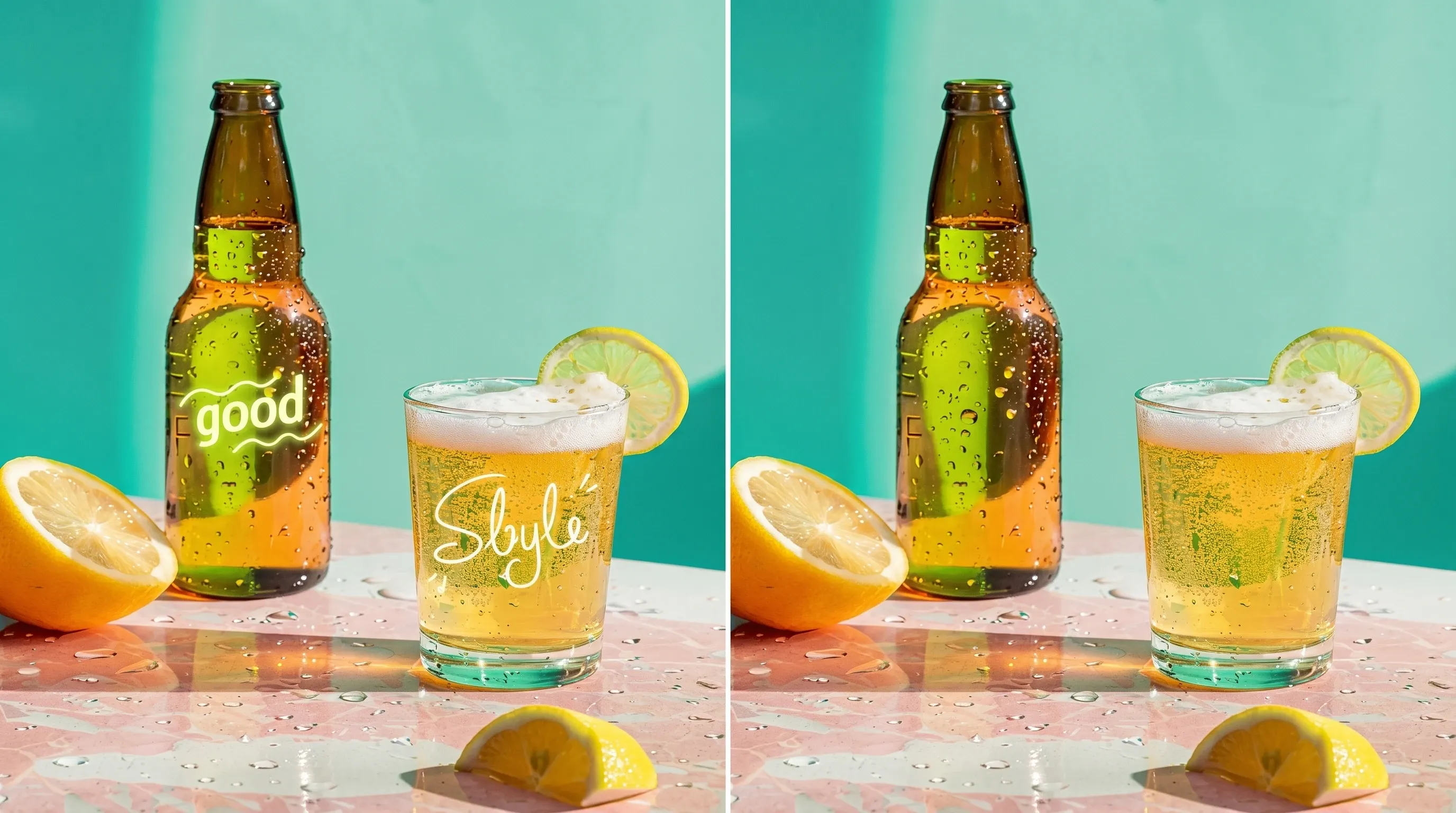
用魔法橡皮擦去掉照片里的水印、日期戳和其他多余标记。图片会更干净,同时保持原来的视觉质感。
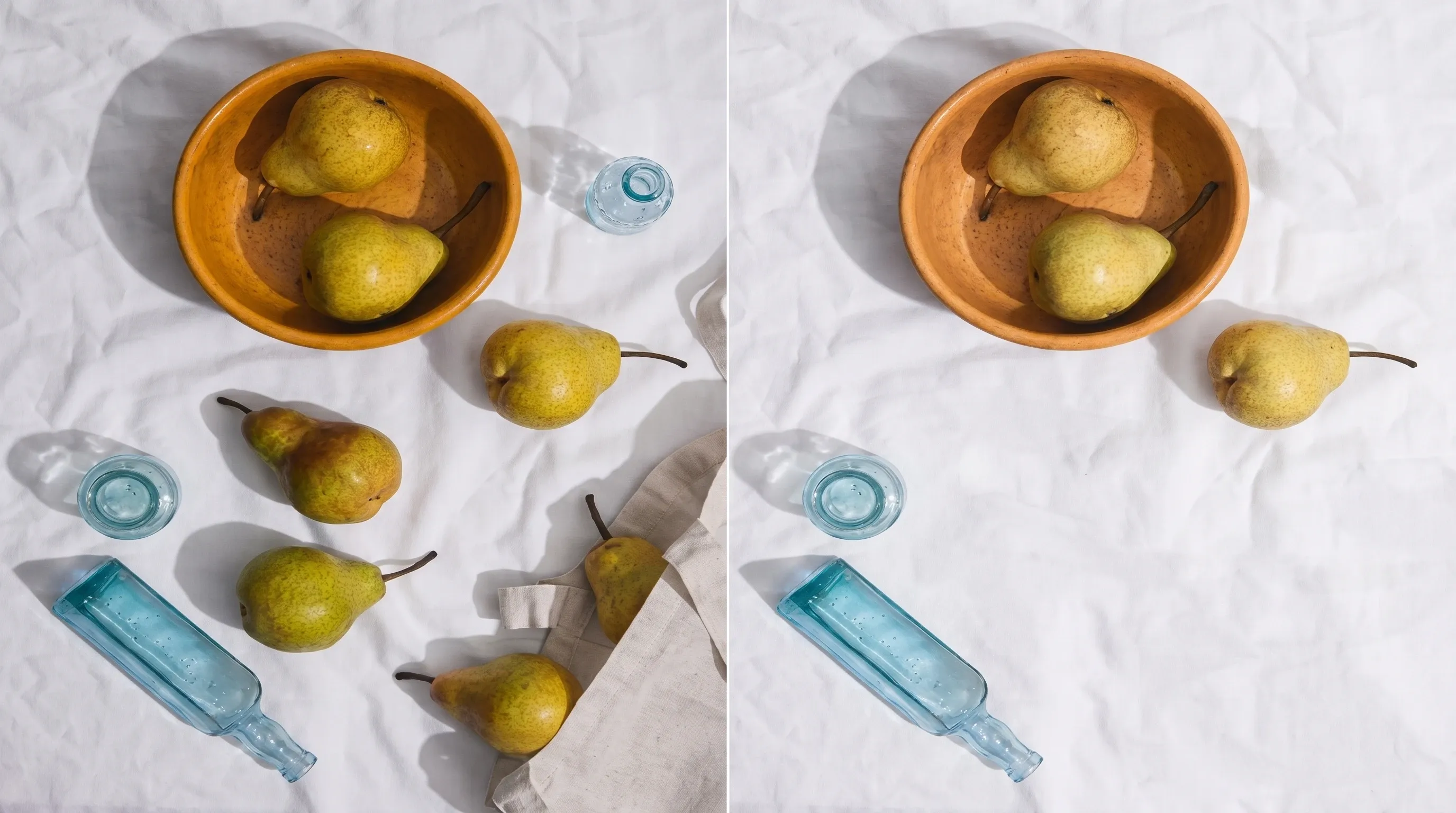
从照片中删除垃圾、标志或不必要的阴影等物体。消除视觉混乱后,您的照片会显得更清晰,视觉效果也更平衡。
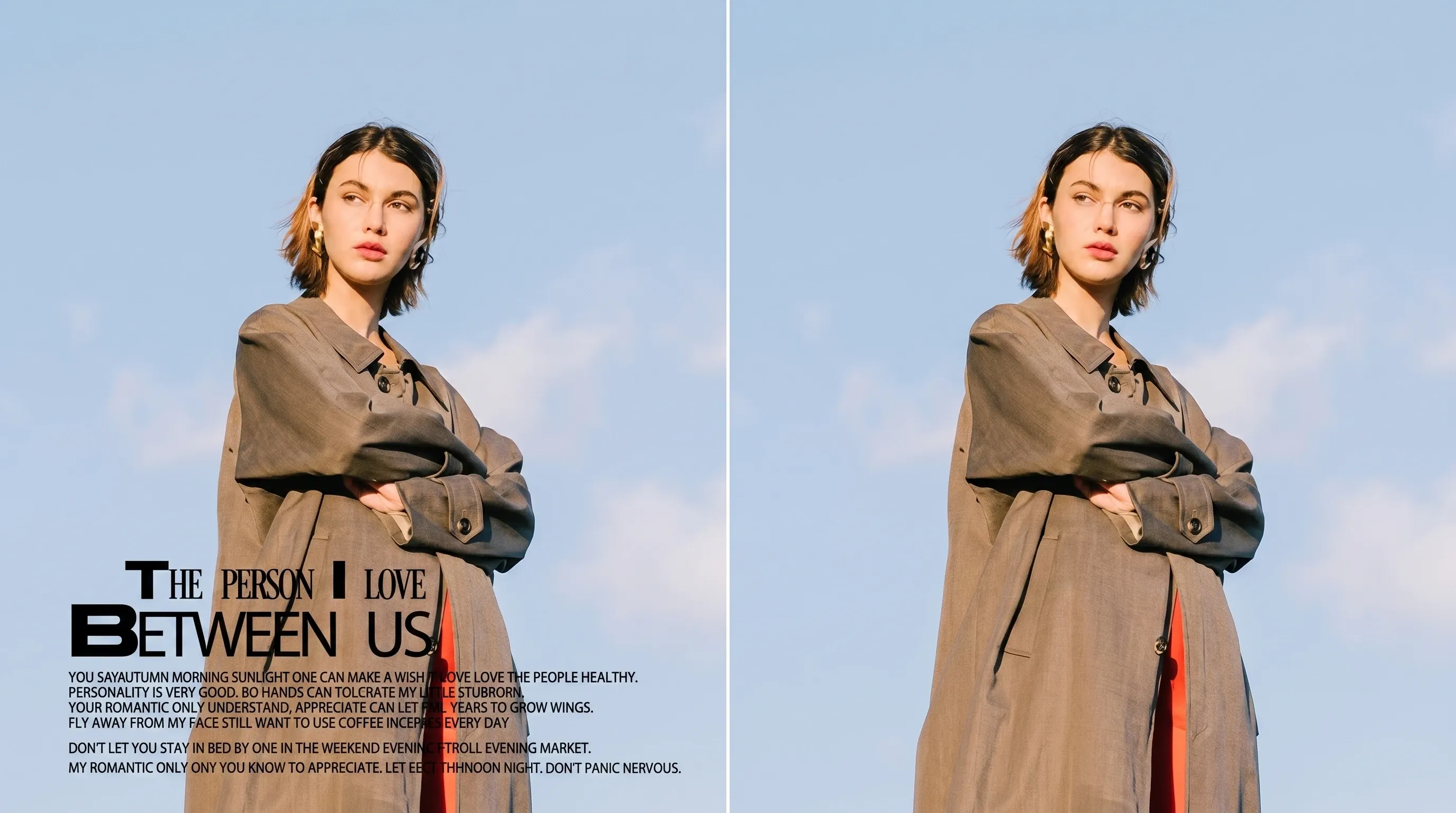
轻松修掉痕迹、斑点、灰尘和划痕。更整洁的图像,随时能拿出去给人看。
上传您想要编辑的图片,支持 JPG、PNG、TIFF 等格式。
选择要删除的对象。该工具将擦除它并自动填充该区域。
预览结果,如有需要请进行调整,然后下载图片。
擦掉一处痕迹很少是唯一的问题。留在 Viralkey Studio,给同一张静图做锐化、抠到透明底,或放大你留下的文件。
用过这个工具的创作者,留下的就是这类评价。
Bess Lang
创作者「水印」类别,同一张桌子,印章没了。
没有给我换一张目录场景。
Cyra Holt
产品经理写了「左边那个人」。
街道还是那条街。任务就这些。
Dell Ames
摄影师角落时间戳没了。
天空填补看起来还是那个下午。
Etta Voss
YouTube 创作者杯子上的标志消失了。
陶瓷还是和旁边的把手对得上。
Gia Pell
社交媒体负责人抠图用 Background Remover,印章用 Magic Eraser。两件事,两页。
Hope Crowe
设计师不用学画笔。
类别加一句话。路人就是全部问题。
Ivy Quinn
插画师先误开了增强。
这一页是删除,不是锐化。
Joy Calder
顾问先裁紧,再选「多余的人」。第二版只留下我朋友。
Kade Whitlock
博主故事静图用了「文字」。
日期没了,砖墙还是那面墙。
Viralkey 的魔法橡皮擦从你已有的照片里去掉一件指定元素,再按周围画面填补空缺。上传一张静图,选「物体」「水印」「文字」「多余的人」或「标志」,必要时写清是哪一处。其余画面——姿势、裁切、光线和你想留下的人——应当留下。它不是透明抠图,也不是 Image Enhancer 那趟画质处理。
上传静图并指出要消失的东西。Viralkey 魔法橡皮擦去掉该物体、水印、字幕或多余的人,并用同一张照片重建那一块——不是新背景,也不是透明抠图。