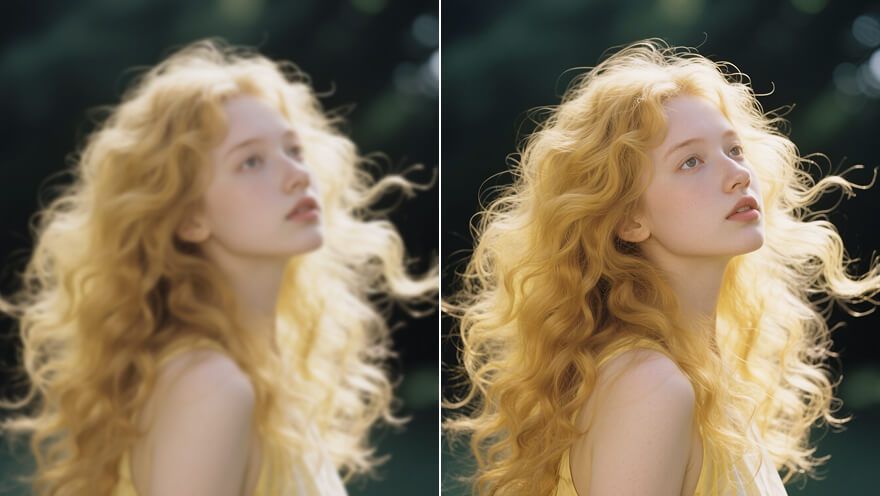
Recover Soft Edges Fast
Sharpen family portraits, landscapes, and handheld stills when the crop is already right and only the edges need a cleaner read.
A soft selfie or a slightly shaken product shot can still be the right frame. Viralkey's image sharpener restores edge acuity at 1×, or enlarges 2× and 4×, without inventing a new face or a new room.


Image Sharpener
Image Sharpener Online
A soft selfie or a slightly shaken product shot can still be the right frame. Viralkey's image sharpener restores edge acuity at 1×, or enlarges 2× and 4×, without inventing a new face or a new room.
Sharpen your photos with Viralkey's image sharpener. Soft edges and a slightly shaken shot can still be the right frame — this pass uncovers hidden detail and restores acuity instantly, so the picture you already shot can look polished online.
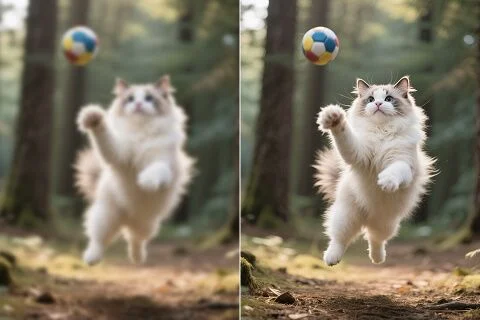
No sliders to guess at. Upload one still, leave 1× for a same-size refresh, and let the pass restore edge acuity. Unlock a cleaner read of type, fabric, and faces without rewriting the photograph.
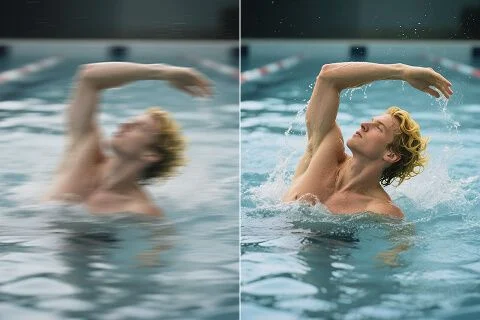
The sharpener finds areas that went soft and spends itself there. Switch to 2× or 4× when you also need a larger master. Resolution, depth, and local contrast come back together — the room and the people stay where they were.
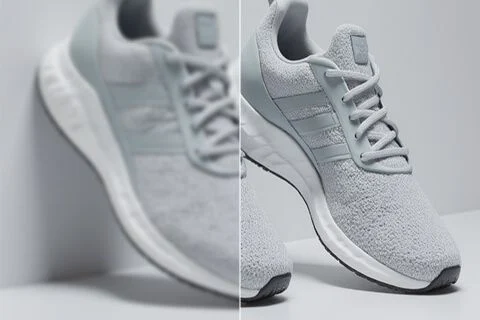
In a crowded listing grid, a soft product plate loses the click. Run the sharpener on the shot you already approved so shoppers see the stitch, the label, and the finish — not a generated catalog hero you never photographed.
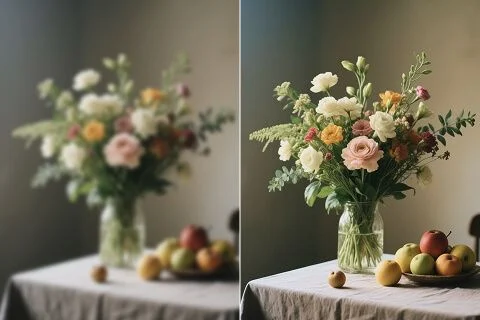
Use it on a selfie, a scan, or a campaign still you already like. The after should sit next to the original without explaining a new face. If you wanted a beauty rewrite or a new background, that is a different studio page.
Sharpen family portraits, landscapes, and handheld stills when the crop is already right and only the edges need a cleaner read.
Make listing plates easier to trust. Sharpen product photos so type, stitching, and logos help shoppers judge the pack before they buy.
A soft thumbnail loses the hook. Sharpen the still or movie posters you already shot so they hold up in a feed without a new composition.
Bring a little acuity back to family portraits, scans, and early-phone stills while keeping the people and the room you already have.
Sharpen family portraits, landscapes, and handheld stills when the crop is already right and only the edges need a cleaner read.
Make listing plates easier to trust. Sharpen product photos so type, stitching, and logos help shoppers judge the pack before they buy.
A soft thumbnail loses the hook. Sharpen the still or movie posters you already shot so they hold up in a feed without a new composition.
Bring a little acuity back to family portraits, scans, and early-phone stills while keeping the people and the room you already have.
Upload or drag in the photo you want to sharpen.
Leave 1×, or switch to 2× / 4× if you also need a larger file.
Generate, compare with the source, and download the take you want.
A sharpen pass is rarely the only question. Stay in Viralkey Studio to enlarge the same still, cut it onto a transparent background, or try a portrait finish.

Restore clarity on a photo at the same size — or enlarge it 2× or 4×.

Enlarge a photo 2× or 4× and recover edge detail instead of stretching pixels.

Recover sharpness from a soft or motion-blurred photo without redrawing the scene.
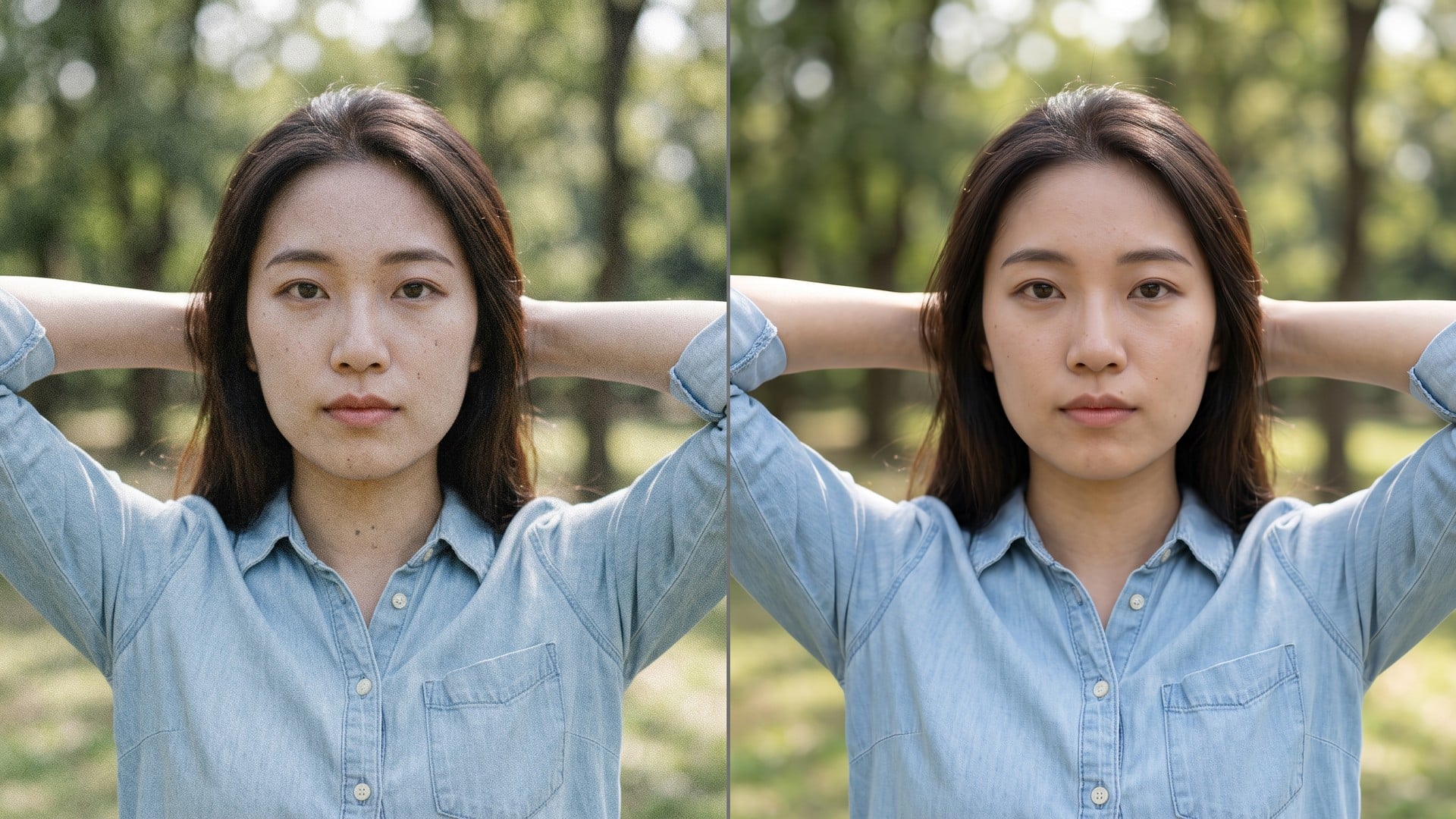
Clean grain and compression noise while keeping the real texture in the frame.
Explore leading models for AI video, image generation, editing, and cinematic storytelling.

Create Wan 3.0 clips on Viralkey: native 1080p, 2–30 seconds, start/end frames, up to 20 mixed references, and audio generated with the picture.

Create cinematic MiniMax H3 clips on Viralkey: native 2K, up to 15 seconds, text-to-video, start/end frames, and up to nine reference images.

Generate short HD clips on Viralkey with start/end frame direction and up to 50 reference images. Built for music video scenes and performer shots.

Create cinematic Seedance 2.0 clips on Viralkey: native 4K, start/end frames, up to nine reference images, and built-in audio with lip-sync.
Notes from creators who used this tool on real work.
Vera Lang
CreatorI needed the product shot sharper, not a new photo.
1× kept the crop and cleaned the edges.
Wes Calder
SellerListing type was mushy.
Sharpen left the pack sitting on the same table.
Yvette Holt
PhotographerCame here from a sharpen search.
The 1× chip was what I actually needed.
Zed Morse
YouTuberSelfie edges came back cleanly, without turning the face into plastic skin.
Ada Voss
Social leadThumbnail finally read at 300 pixels wide.
Same gesture, cleaner edges.
Bea Crowe
DesignerSwitched to 2× after 1× looked right.
Same pass, just a bigger output file.
Cal Reed
ConsultantSame engine as the unblur page.
I just searched a different keyword here.
Dee Nash
ArchivistOld phone still got a little bite back.
Faces stayed the same people I shot.
Eve Pell
IllustratorI stopped paying a retoucher for 'make this less mushy'.
This is that job.
The image sharpener is a search door onto Viralkey's dedicated quality pass. You upload one soft still, leave 1× to restore acuity at the original size, or pick 2× / 4× to enlarge as well. It is not a generative rewrite and it is not a private sharpen network: Image Enhancer and Unblur Images run the same engine. Use it when the frame is already right and only the edges are wrong.
A soft selfie or a slightly shaken product shot can still be the right frame. Viralkey's image sharpener restores edge acuity at 1×, or enlarges 2× and 4×, without inventing a new face or a new room.