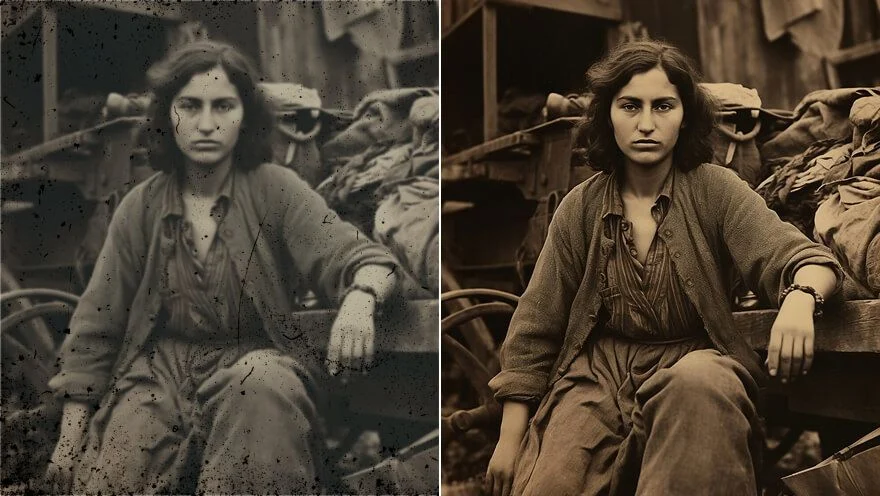
Bring Scans Back to Life
Recover faded family portraits so they are easier to read on a phone, without turning relatives into a generated lookalike.
A faded scan or a soft archive still can still be the right memory. Viralkey's photo restoration pass restores clarity at 1×, or enlarges 2× and 4×, without inventing a new face or a new room.


Photo Restoration
Photo Restoration Online
A faded scan or a soft archive still can still be the right memory. Viralkey's photo restoration pass restores clarity at 1×, or enlarges 2× and 4×, without inventing a new face or a new room.
Bring a faded or soft archive still back to a readable file. Viralkey's photo restoration pass recovers clarity and local contrast in a few seconds. It is a quality pass on the scan you already have — not a tear-and-scratch workshop, and not a colorize of a black-and-white print.
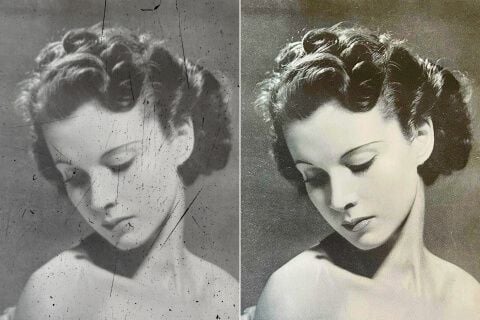
Old files lose edge and contrast long before they lose the people in them. This pass spends itself on a cleaner read of faces, type, and furniture. It will not rebuild torn paper, missing corners, or stains. Start from the cleanest scan you still have.
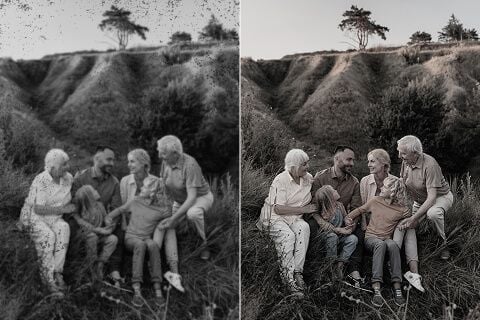
Family portraits, historical stills, and vintage prints can look tired on a modern screen. Restore detail so the memory is easier to share — the people stay the people you scanned, not a generated family you never photographed.
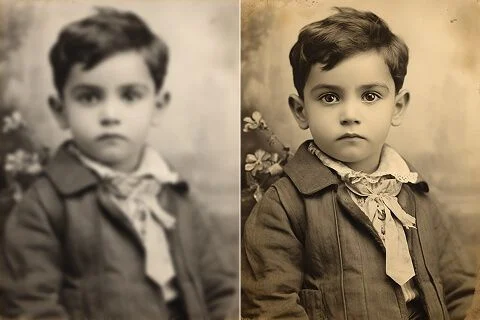
A soft archive still can be unblurred at 1×, or enlarged 2× and 4× when you also need a larger master. Facial detail and room texture come back together. A totally smashed photocopy will not grow information that was never there.
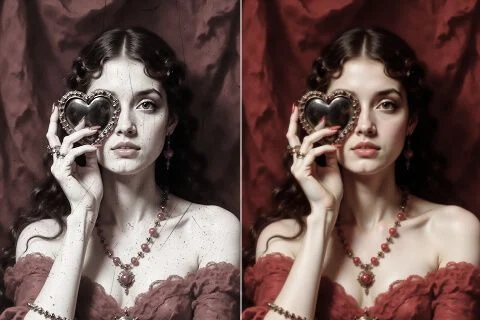
Faded color often just needs a cleaner pass, not a new palette. This tool recovers sharpness and local contrast. It does not colorize a black-and-white print or invent hues that the scan never held. Keep the after next to the original.
Recover faded family portraits so they are easier to read on a phone, without turning relatives into a generated lookalike.
Clean up yearbook pages, slides, and shared albums so the file holds up next to photos shot this year.
Restore a memory you already have so it survives a slide, a story crop, or a movie posters slot, without a new composition.
Make old product photos easier to trust. Recover clarity on the pack you already shot, not a new catalog hero.
Recover faded family portraits so they are easier to read on a phone, without turning relatives into a generated lookalike.
Clean up yearbook pages, slides, and shared albums so the file holds up next to photos shot this year.
Restore a memory you already have so it survives a slide, a story crop, or a movie posters slot, without a new composition.
Make old product photos easier to trust. Recover clarity on the pack you already shot, not a new catalog hero.
Upload the faded or soft scan you want to restore.
Leave 1×, or switch to 2× / 4× if you also need a larger file.
Download the restored still, or rerun the same scan at another scale.
A restore pass is rarely the only question. Stay in Viralkey Studio to enlarge the same still, cut it onto a transparent background, or try a portrait finish.

Restore clarity on a photo at the same size — or enlarge it 2× or 4×.

Enlarge a photo 2× or 4× and recover edge detail instead of stretching pixels.

Recover sharpness from a soft or motion-blurred photo without redrawing the scene.
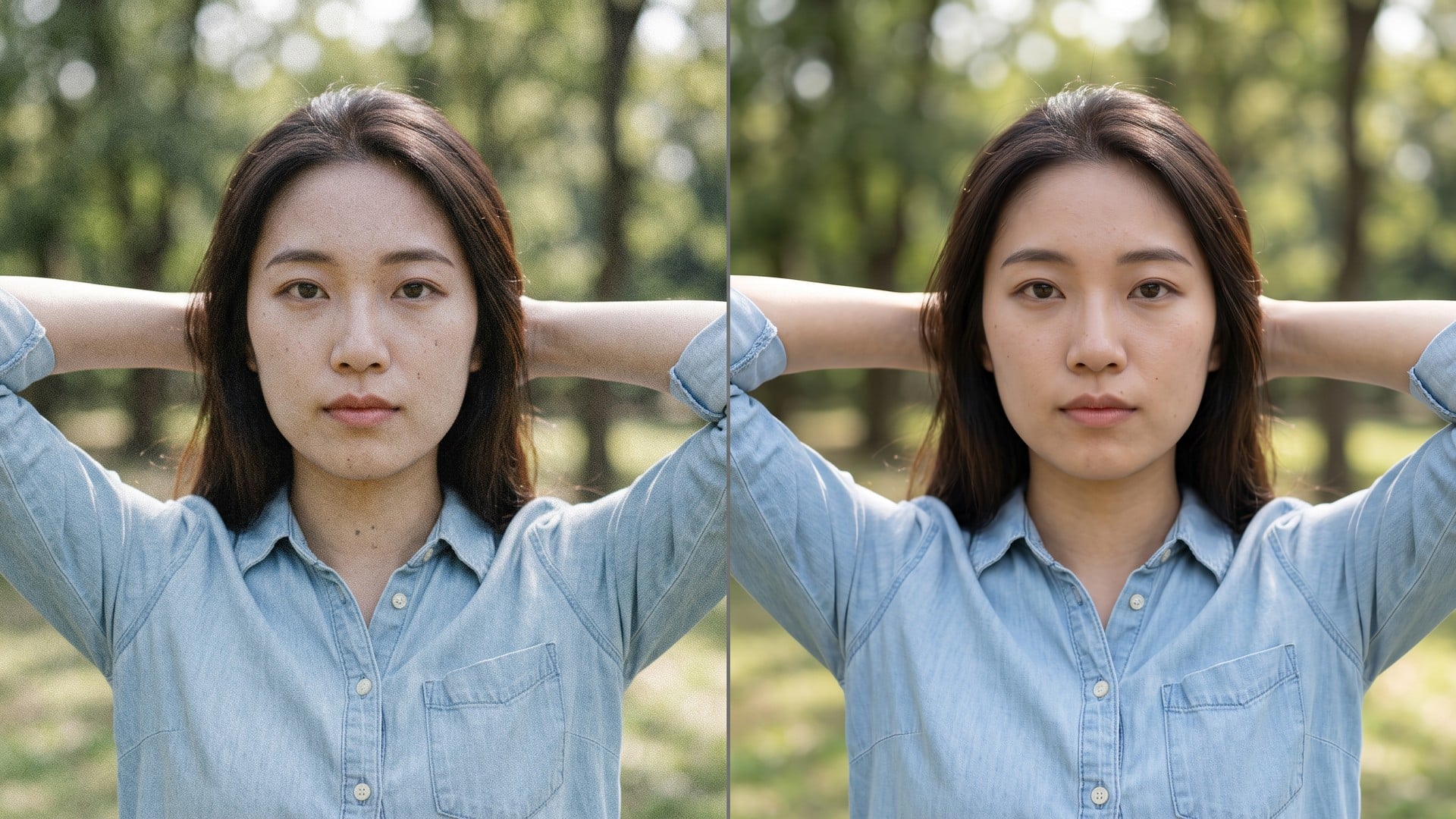
Clean grain and compression noise while keeping the real texture in the frame.
Explore leading models for AI video, image generation, editing, and cinematic storytelling.

Create Wan 3.0 clips on Viralkey: native 1080p, 2–30 seconds, start/end frames, up to 20 mixed references, and audio generated with the picture.

Create cinematic MiniMax H3 clips on Viralkey: native 2K, up to 15 seconds, text-to-video, start/end frames, and up to nine reference images.

Generate short HD clips on Viralkey with start/end frame direction and up to 50 reference images. Built for music video scenes and performer shots.

Create cinematic Seedance 2.0 clips on Viralkey: native 4K, start/end frames, up to nine reference images, and built-in audio with lip-sync.
Notes from creators who used this tool on real work.
Oriol Lang
CreatorNeeded the scan readable, not a new portrait.
1× kept the people and cleaned the fade.
Pearl Nash
ArchivistYearbook page held up on a slide.
Same crop, just much easier to read.
Quill Voss
PhotographerI searched photo restoration.
The 1× chip was what I actually needed here.
Ragnar Holt
YouTuberEarly-phone still got clearer.
The kitchen stayed the kitchen we already had.
Sage Crowe
ConsultantSame engine as the enhancer page.
I just needed the archive search wording.
Tate Pell
Designer2× on a small print.
Faces stayed the same relatives I had scanned in.
Umi Reed
HistorianIt did not colorize the black-and-white scan, which is exactly what I wanted.
Vale Moss
SellerFaded listing still got a cleaner pack.
The table stayed the same table.
Wilhelmina Ade
IllustratorI stopped expecting a tear workshop.
Clarity really was the whole brief.
Photo restoration here is a search door onto Viralkey's dedicated quality pass. You upload one faded or soft scan, leave 1× to restore clarity at the original size, or pick 2× / 4× to enlarge as well. It is not a generative rewrite and it is not a tear-and-scratch workshop: Image Enhancer runs the same engine. Use it when the memory is already right and only the file is tired.
A faded scan or a soft archive still can still be the right memory. Viralkey's photo restoration pass restores clarity at 1×, or enlarges 2× and 4×, without inventing a new face or a new room.